Add Widgets in the Megamenu
176 views 2 April 10, 2020 January 6, 2021 admin
Here’s how it works:
- – To make it work you must add only 1 megamenu column as sub-child as one of your parent menu item.
- – Once added you can select one of your sidebar in there:
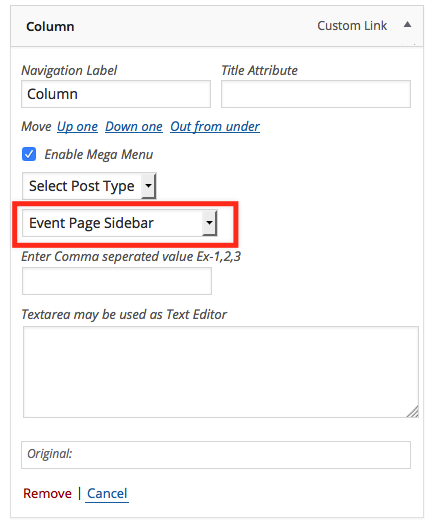
- – The column widget will be set as per the number of widgets your sidebar will have. Like if has 4 widget then each widget will take up 25% width of the whole megamenu width. It is better to keep your widgets in sidebar to maximum of 6 to maintain the look.
How to get started with mega menu