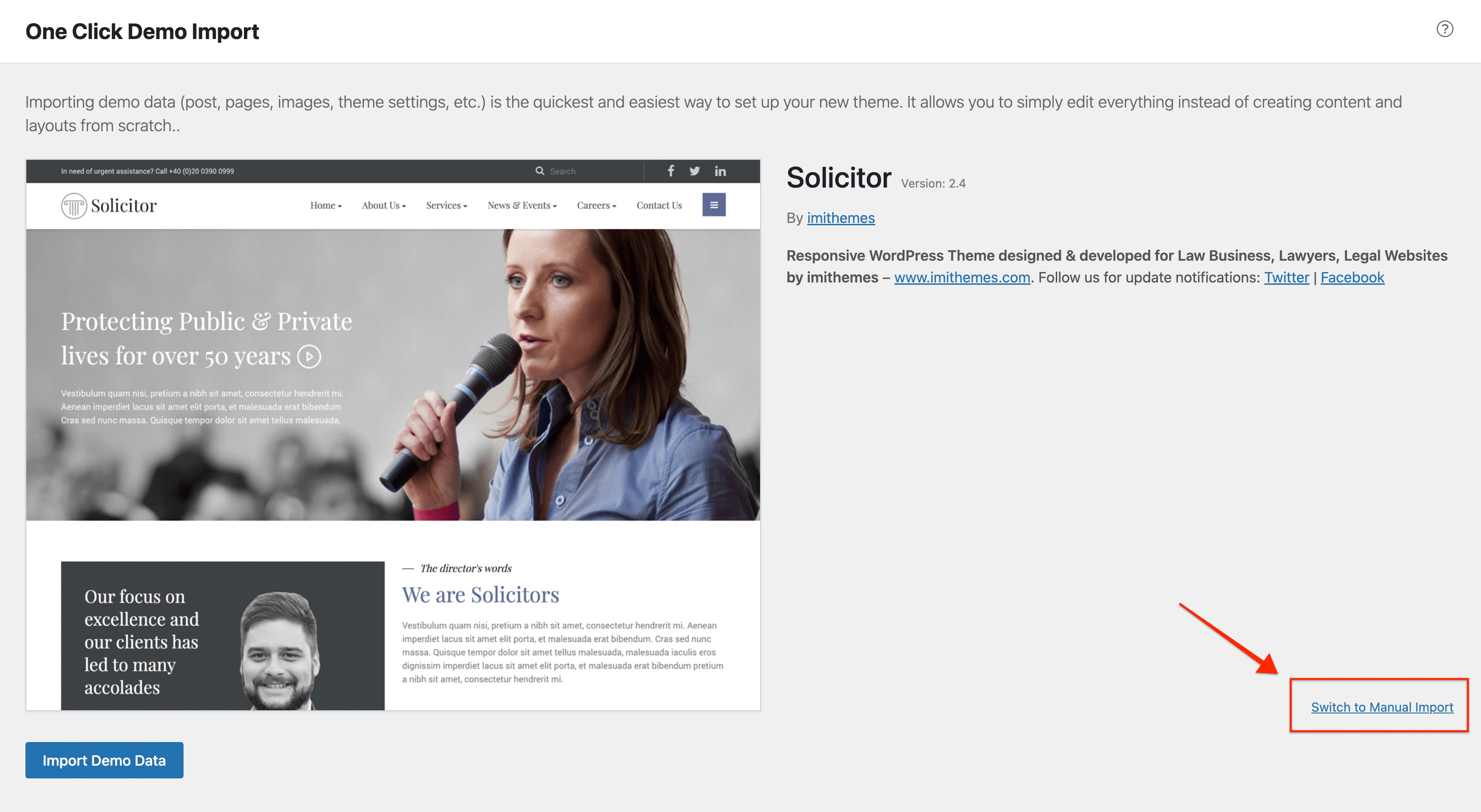
If you wish to import the demo manually or there is some problem with your server which makes it impossible to fulfil the required config as suggested here
Below are the steps you need to follow to import the demo manually. All the demo content files can be found inside the package you download from your ThemeForest account. Demo file can be found inside ‘Demo Content’ folder.
Step 1 : Log into your WordPress Dashboard and navigate to your WP Dashboard => Appearance => Import Demo Data and click on ‘Switch to Manual Import’ link
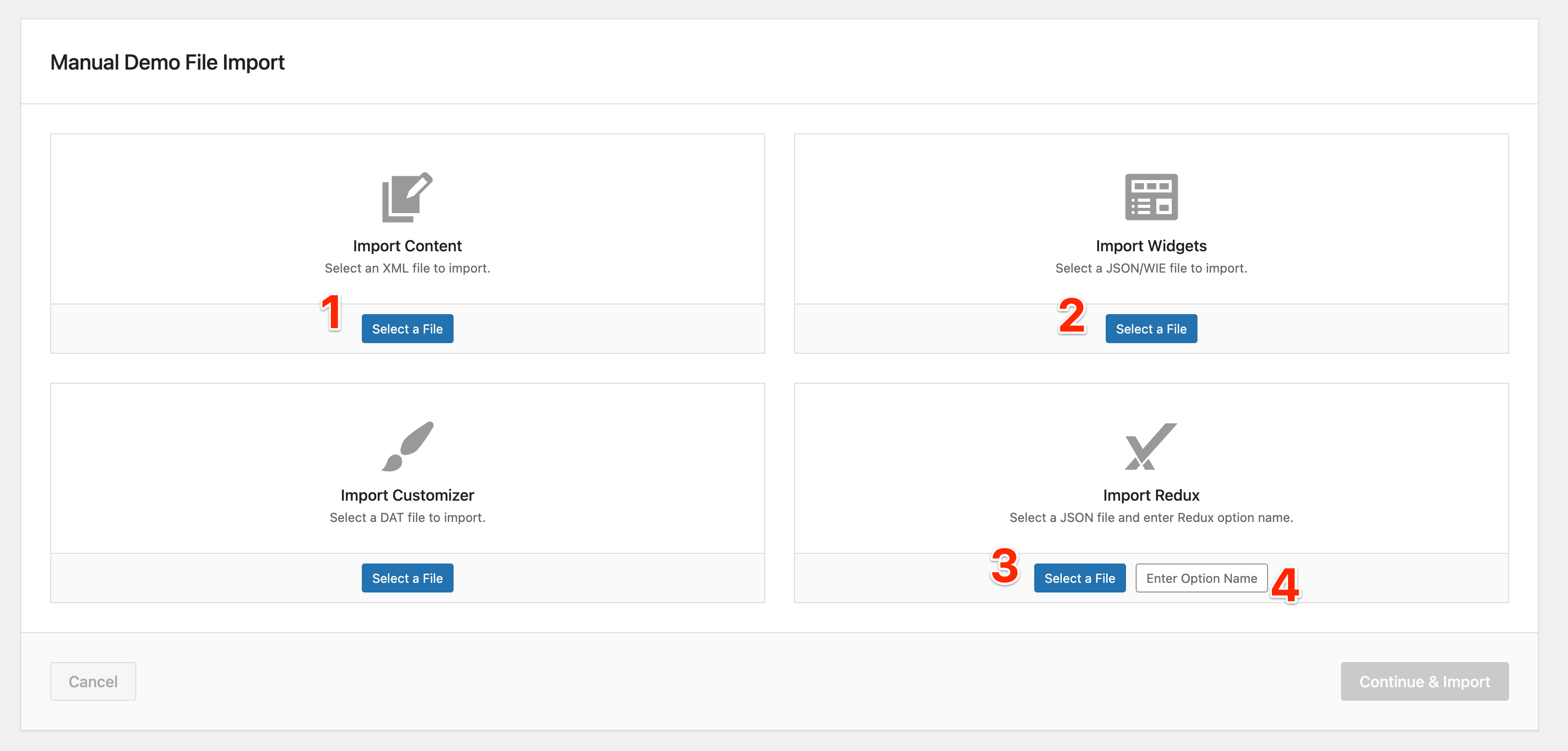
Step 2 : Add files from ‘Demo Content’ folder as below:
- Select ‘content.xml’ file
- Select ‘widgets.json’ file
- Select ‘theme-options.json’ file
- Enter ‘solicitor_options’
Step 3 : Click ‘Continue & Import’ button to start the import progress.
Step 4 : Import Slider Revolution sliders included in the ‘Demo Content’ folder. Move to your WP Dashboard => Slider Revolution and click on ‘Manual Import’ button. Select ‘solicitor.zip’ file.
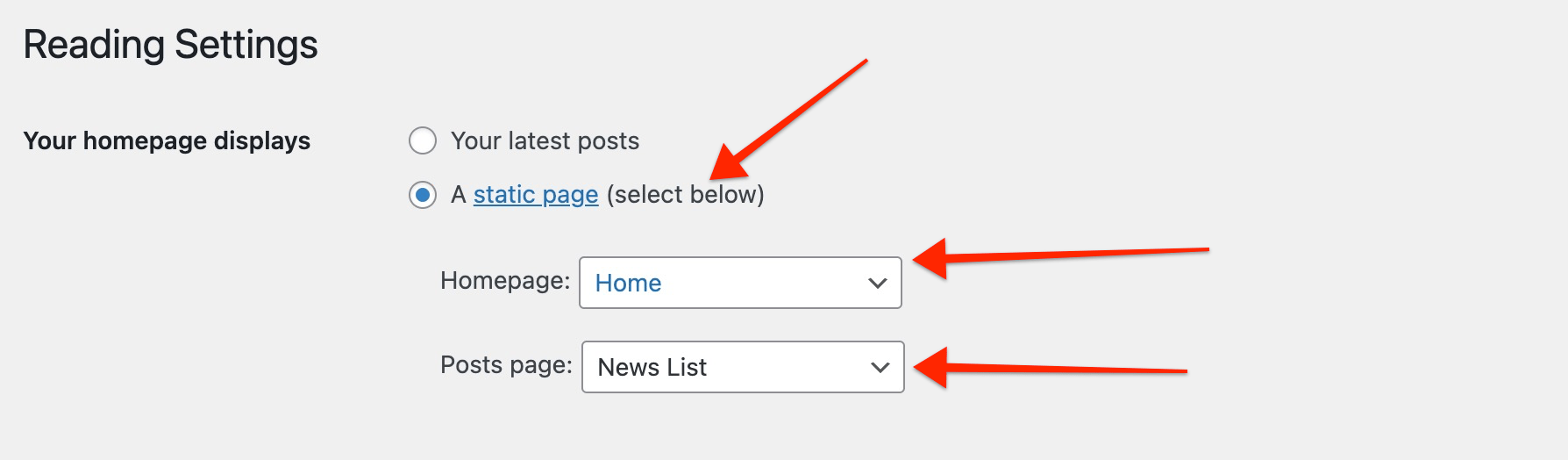
Step 5 : Set your Frontpage and Blog posts page. Move to your WP Dashboard => Settings => Reading and change the settings like below image
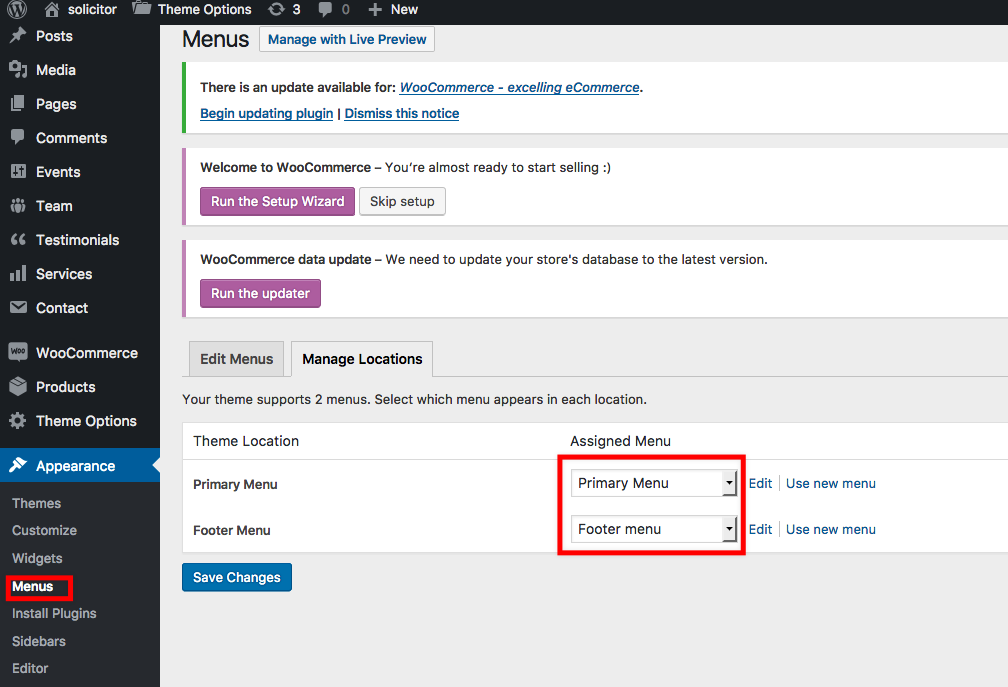
Step 6 : Select imported menu to header/footer. Move to your WP Dashboard => Appearance => Menus. Select ‘Manage Locations’ tab and set the menus as following image.