How to Use One Page Menu #back to top
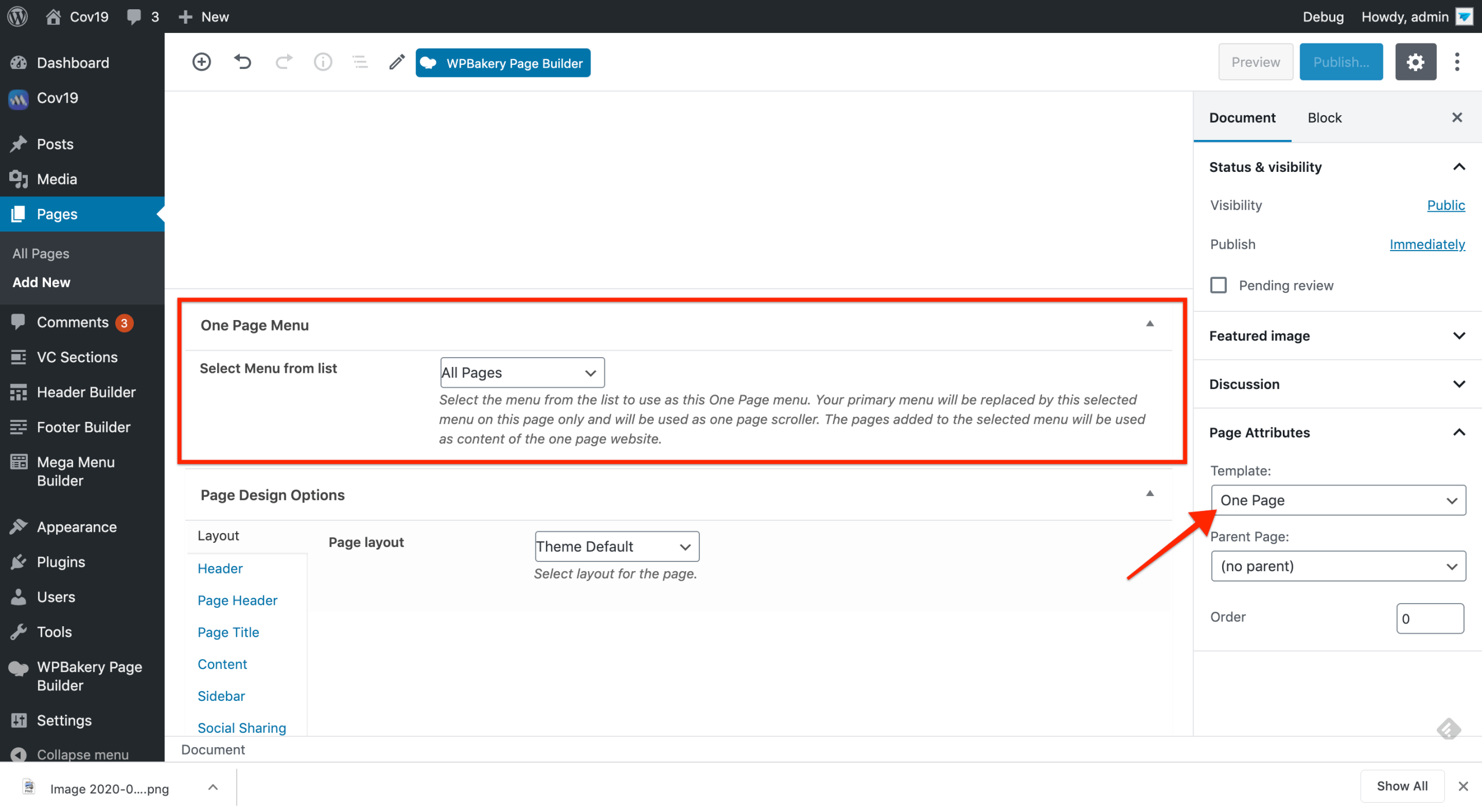
This theme comes with built in one page menu option. Using this option is very easy, you just need to create your pages like normally you do for multi page websites. Now to user those pages in a “One Page” menu system, create a new menu from Appearance => Menu. Add your pages in the menu as normal. Now this menu can be used as one page nav in a page. Create a new page and choose “One Page Template” for it. Also choose the same menu you created before, in this page. Now any header you have created for your website can use this menu in the menu shortcode.
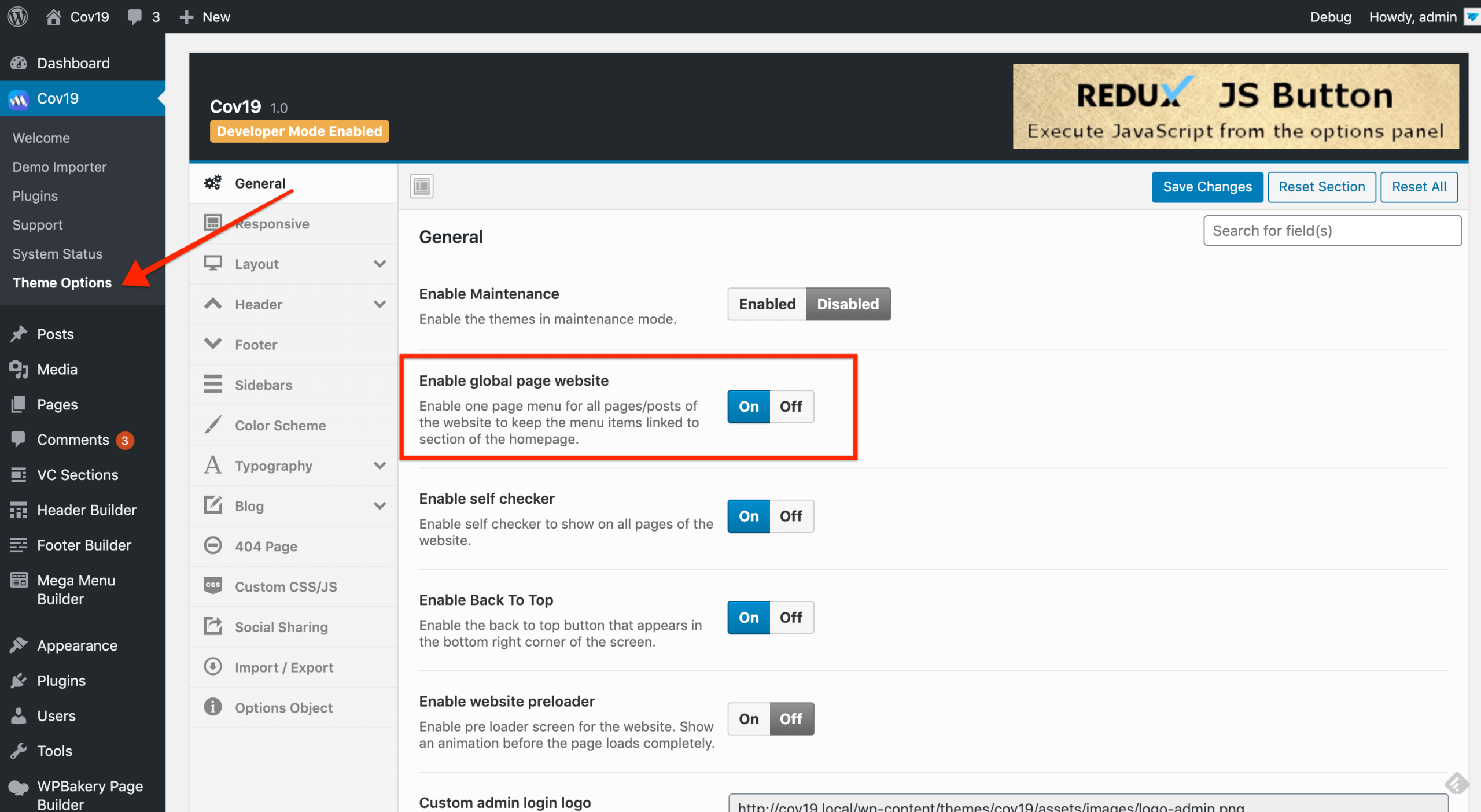
By default one page menu intend to work only on a single page where you have chosen “One Page Template” as your page template but when you have a website where there is some other single pages as well along with a main one pager then the other pages should be linked to the same sections of the main page when visited from those single pages. To make this happen we have an option at Theme Options => General