Once you’ve created a menu and filled it with items, it’s time to assign it to one of the theme pre-defined locations.
Step 1 : Navigate to Appearance > Menus and click Manage Locations.
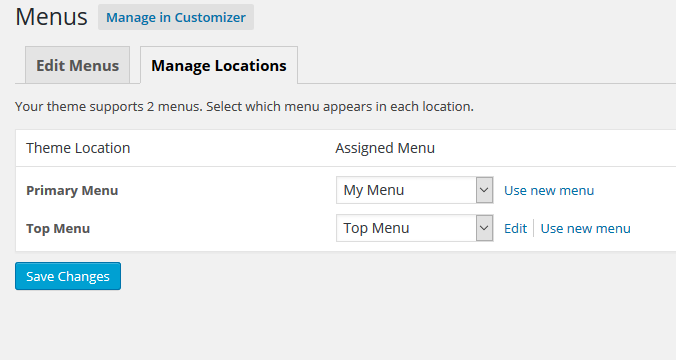
Step 2 : Assign each Theme Location with a menu. You can assign menus to multiple Theme Locations.

Step 3 : Click the Save changes to confirm.