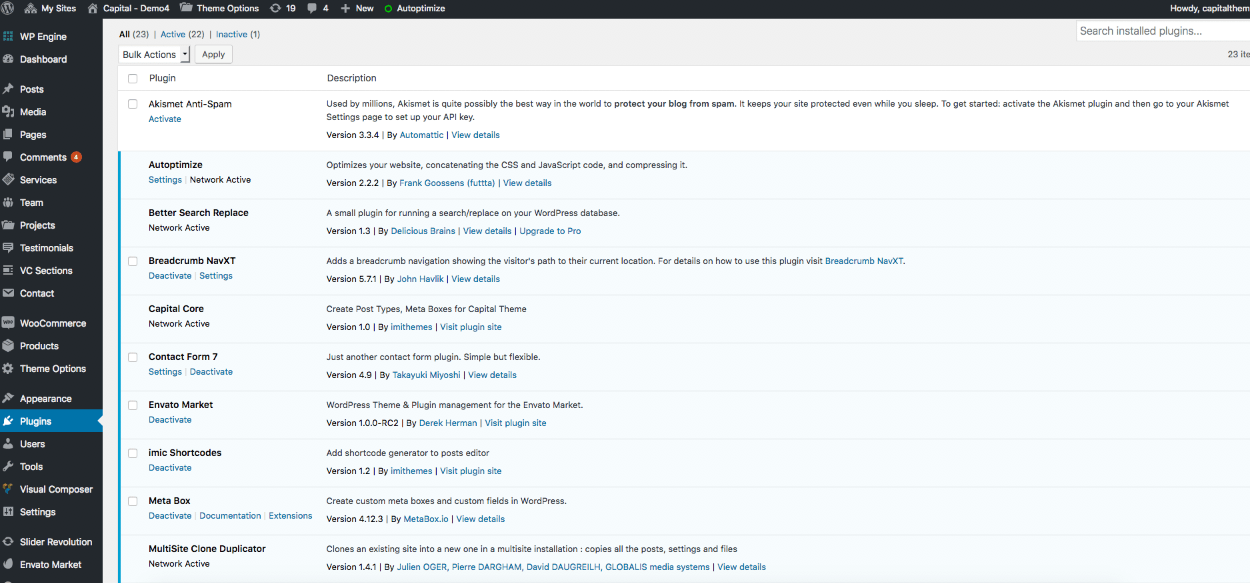
Tip: These plugins are freely available on WordPress plugins directory
For multiple sidebars, meta fields, theme framework, Twitter feeds, Contact Forms, Shop we are using few free plugins.
Premium plugins included: Slider Revolution and Visual Composer
Enable the Redux Framework plugin before doing anything with the theme. As per the new WordPress standards Theme’s framework are now added as separate plugin. Once you install and activate the framework plugin, make sure you activate the theme options.
Plugins that must be installed and activated before the demo import are: Pojo Sidebars, Simple Twitter Tweets, WooCommerce – excelling eCommerce, Breadcrumb NavXT, Contact Form 7, Capital Core, Revolution Slider, Redux Framework, Visual Composer, Meta Box
For all post types including Team, Services, Projects and Testimonials we are using our custom made plugin “Capital Core” plugin which needs to be installed to use all the theme features and post types
Installation
As soon as you activate the Capital Theme it will show up a message at top for the recommended plugins. Just go to Install Plugins page straight from the message box and follow up the screen instructions for further process. Please note you need to activate the plugins after the installation to get them to work for you.
If you have missed the recommended plugins message or have dismissed the alert box by mistake then these plugins can be installed from Appearance > Install Plugins