Tip: This is the most important step to get your homepage show up as like the demo and use the template for homepage
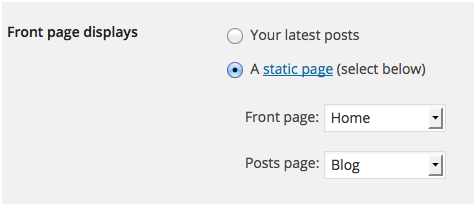
To set up the homepage navigate to Settings > Reading and configure the “Front Page Displays” settings. Select the static page option and choose the home page as your front page and “blog” page as your posts page.
Assigning menus to their repective positions just move to Appearance > menus
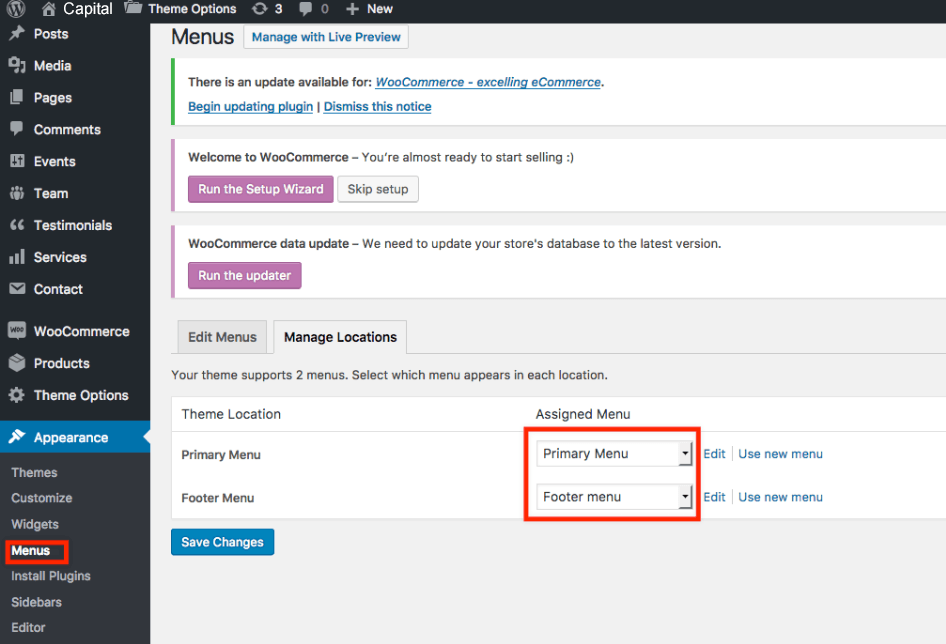
Theme demo content comes with 3 menus already built. They are: Services(Used for service pages), Main Menu(Website primary menu shown in the header), Top menu(Used as top ber menu)
Importing the Widgets
Install and activate plugin Widgets Importer & Exporter. Now move to your Theme package folder “Demo Content” you can find a file widgets.wei in there, import it from Tools > Widgets Import/Export
Importing Theme Options Data
Theme options data is available in the Demo Content folder itself named theme-options.txt. Go to Theme Options > Import/Export and import data by copy pasting.