Since version 2.9 of theme, you can offer your website users to submit their obituaries using a new form. To create a page for the same follow below steps:
1- Create a new page with WPBakery page builder
2- Add “Obsequy Frontend Submission” page builder element in the page.
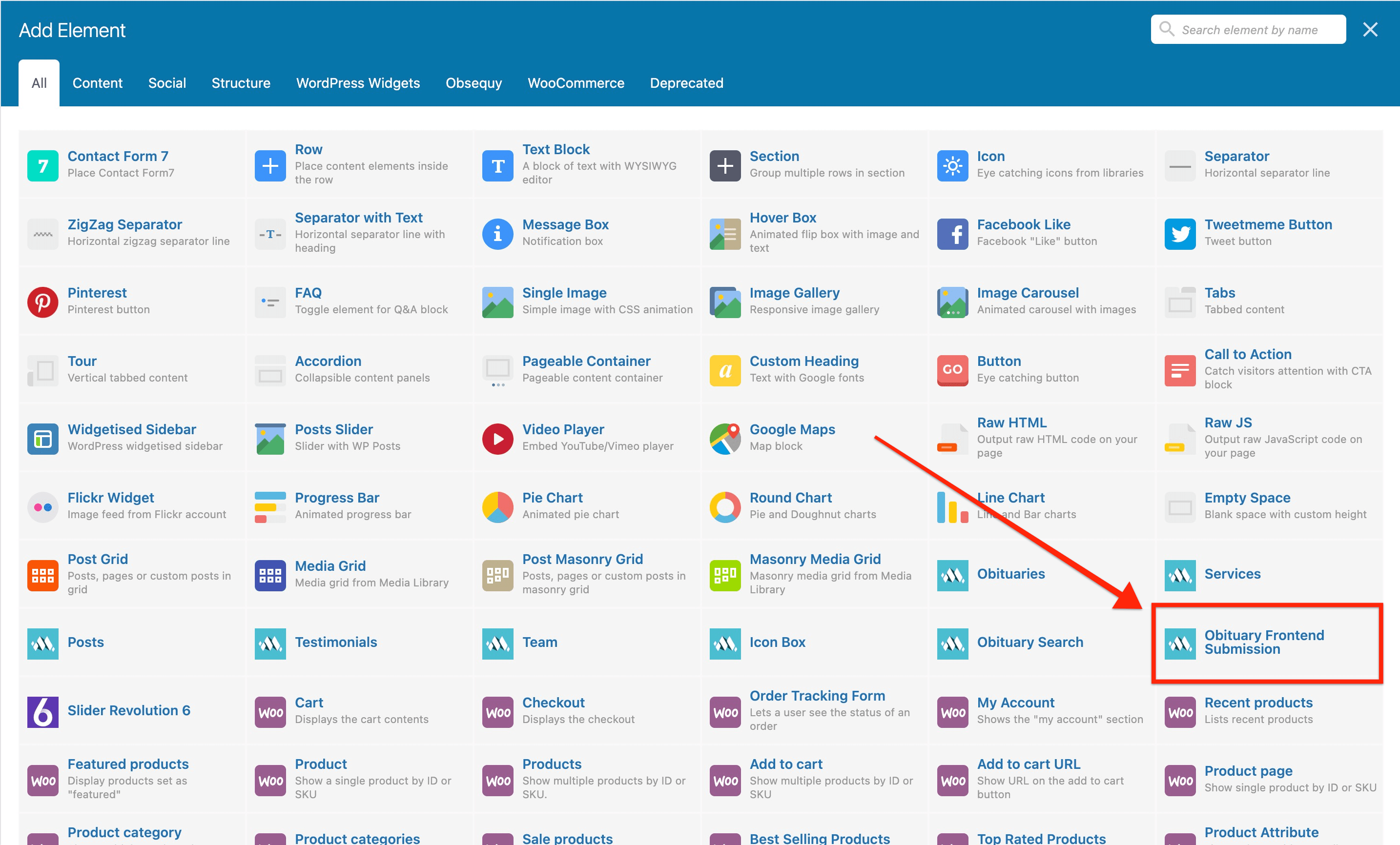
3- Choose options of the element as required. You may choose to publish the submitted obituaries instantly on your website or can save them as draft. There is option to enter Google reCaptcha(v3) API key in the element, this is optional but highly recommended to keep your form spam free.
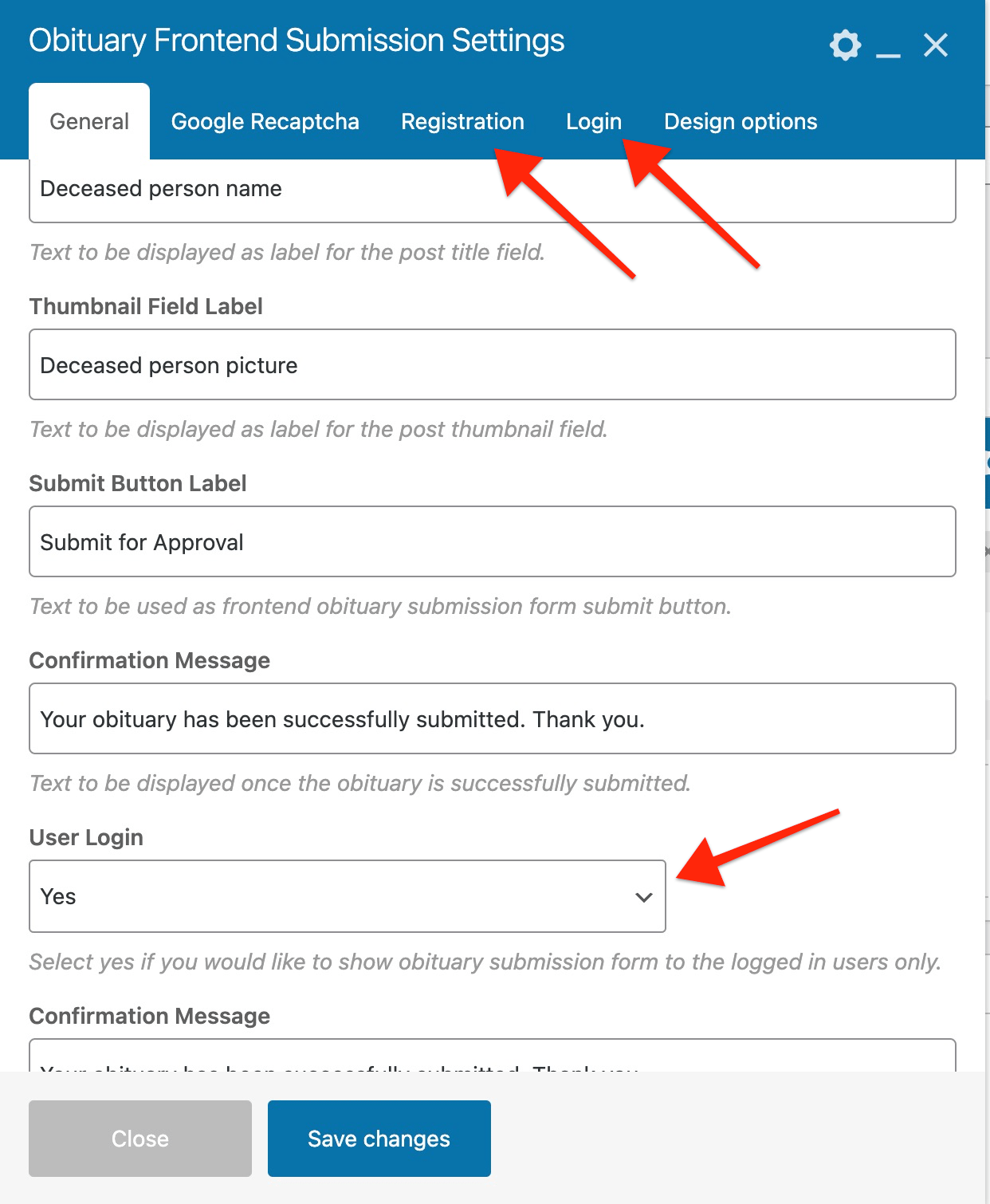
4- Form is available for everyone on your website but you may ask users to register and login into your website to be able to submit obituary. Notice the 2 new tabs in the page builder element for the login and register forms.
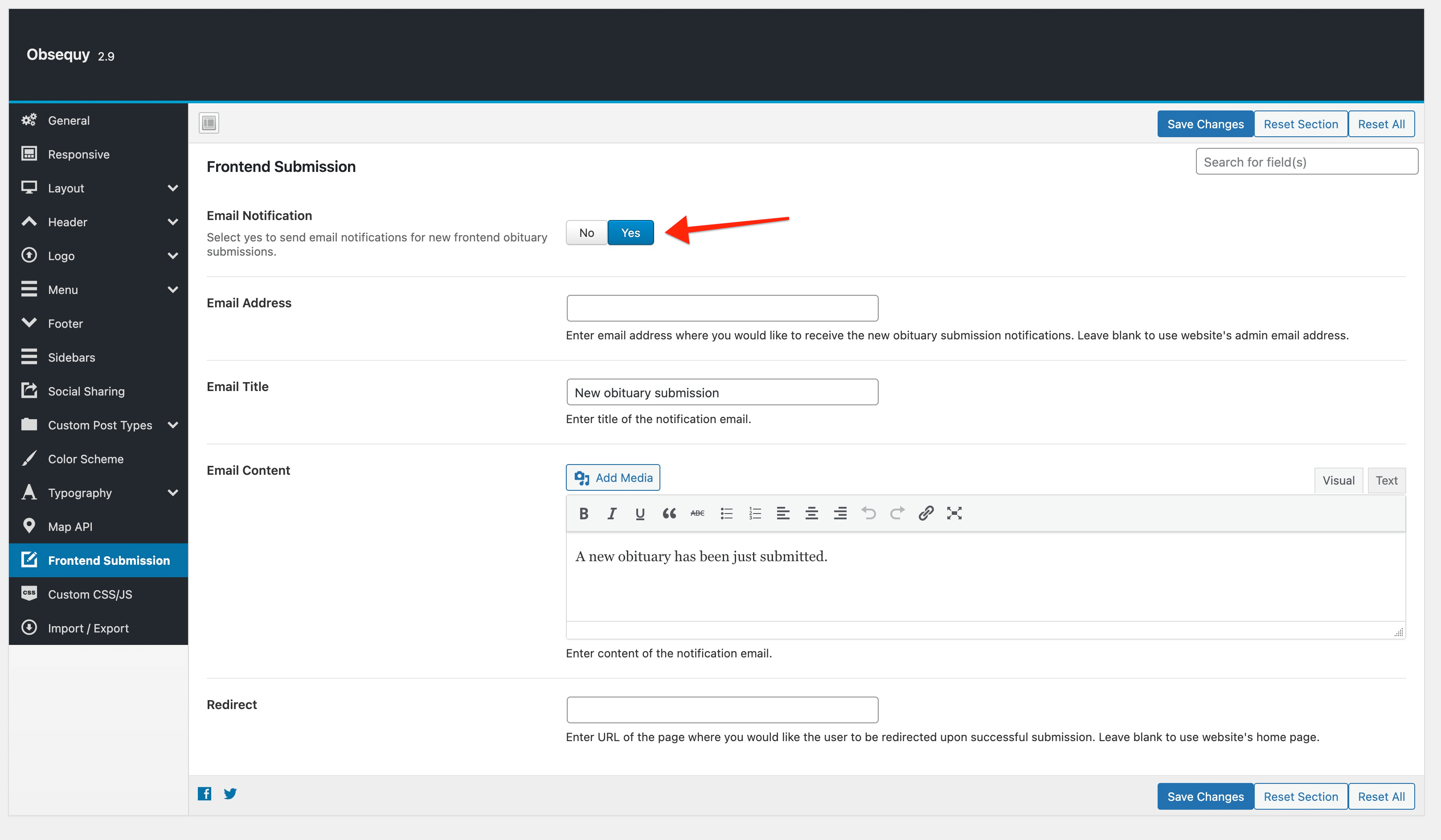
5- There is also option for you to get email notification when a new obituary is submitted on your website. This can be enabled from Theme Options => Frontend Submission. When this option is enabled then the form will be redirected to your homepage after submission, you may enter a new page URL at the options for the redirection.