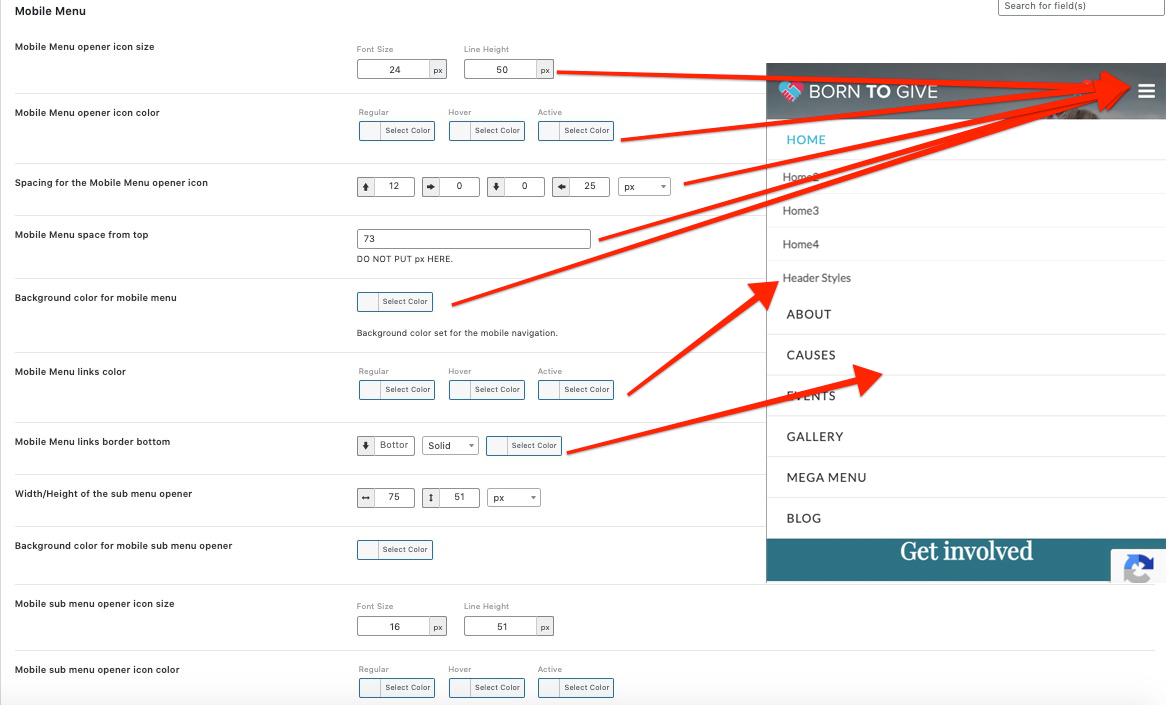
Your website’s menu has several settings for the styling as well as the menu selection. The first thing is to create your menu, the menus comes along when the demo is imported. Menu creation can all managed from your WP Dashboard => Appearance => Menus

Here’s an official guide of the WordPress menu
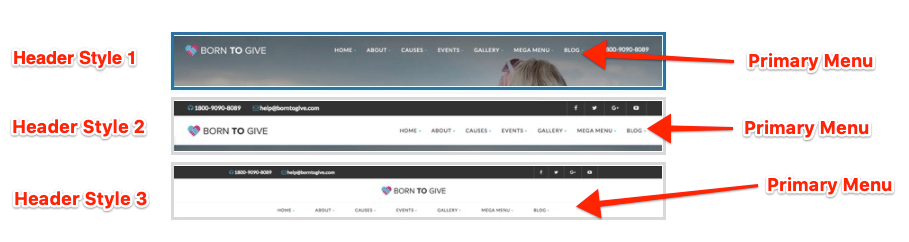
Below image shows which menu is used where in the site header with different header styles.
Styling Primary Menu
All the styling options for the primary menu are available at your WP Dashboard => Born To Give => Theme Options => Menu

Mobile Menu
Mobile menu consists of 2 parts, one is the primary menu displayed as Hamburger menu and the other is Select Box type for Top Menu. All the styling and other options can be found at your WP Dashboard => Born To Give =>Theme Options => Menu => Mobile Menu