There are several options available for you to change some aspects of the inbuilt Event Manager of the theme. All these options can be accessed from your WP Dashboard => Born To Give => Theme Options => Events
Events validity
By default events are meant to display in the upcoming events list until the start time of the event but for some users it is required to display them until the end of the event. If it is set to ‘End Time’ then the events will remain in the upcoming events list till the end time along with the countdown timer will count till the event’s end time.

Event date/time display
You can select which time you would like to show for the events on the website frontend, select from available options

Event start date/time and end date/time separator
Enter a character which will be displayed in between the start and end date/time of the events.
Additional Options
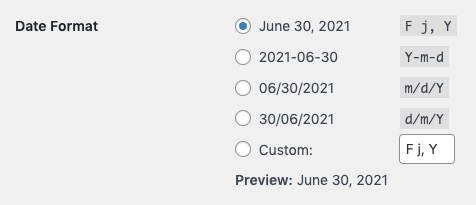
Change date format
This theme utilises WP’s own date format settings for the date display of the events. These settings can be changed from your WP Dashboard => Settings => General