This is optional step but highly recommended. This will make your website look like the demo you see while purchasing this theme. You should activate all the recommended plugins before importing the content file.
One Click Demo
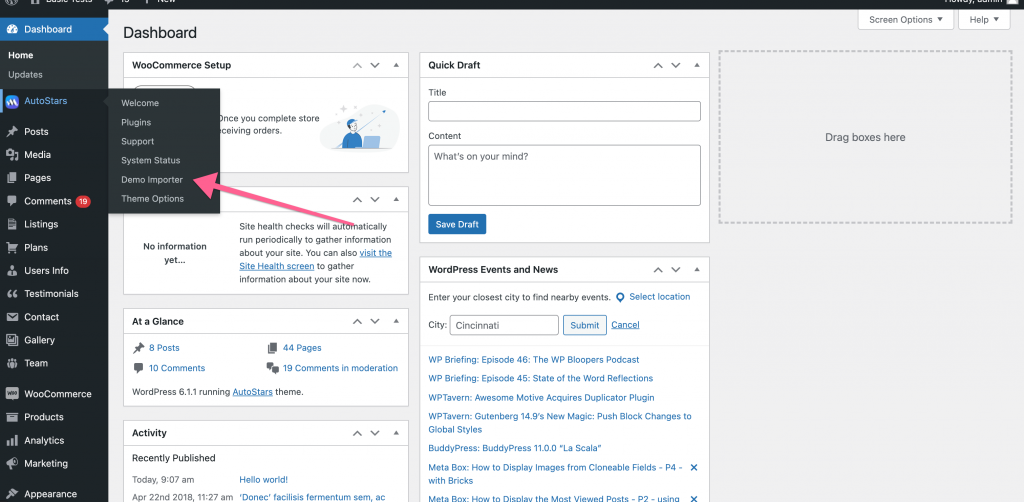
This theme comes with a “One Click Demo” install interface which is located at AutoStars > Demo Import. This option works great on a fresh WordPress install and it is recommended as well. Just click the “Import Demo” button and wait for couple of minutes for the theme to download all posts and placeholder images from our server.
AutoStars comes with three demos, Automotive, Classifieds and Real Estate
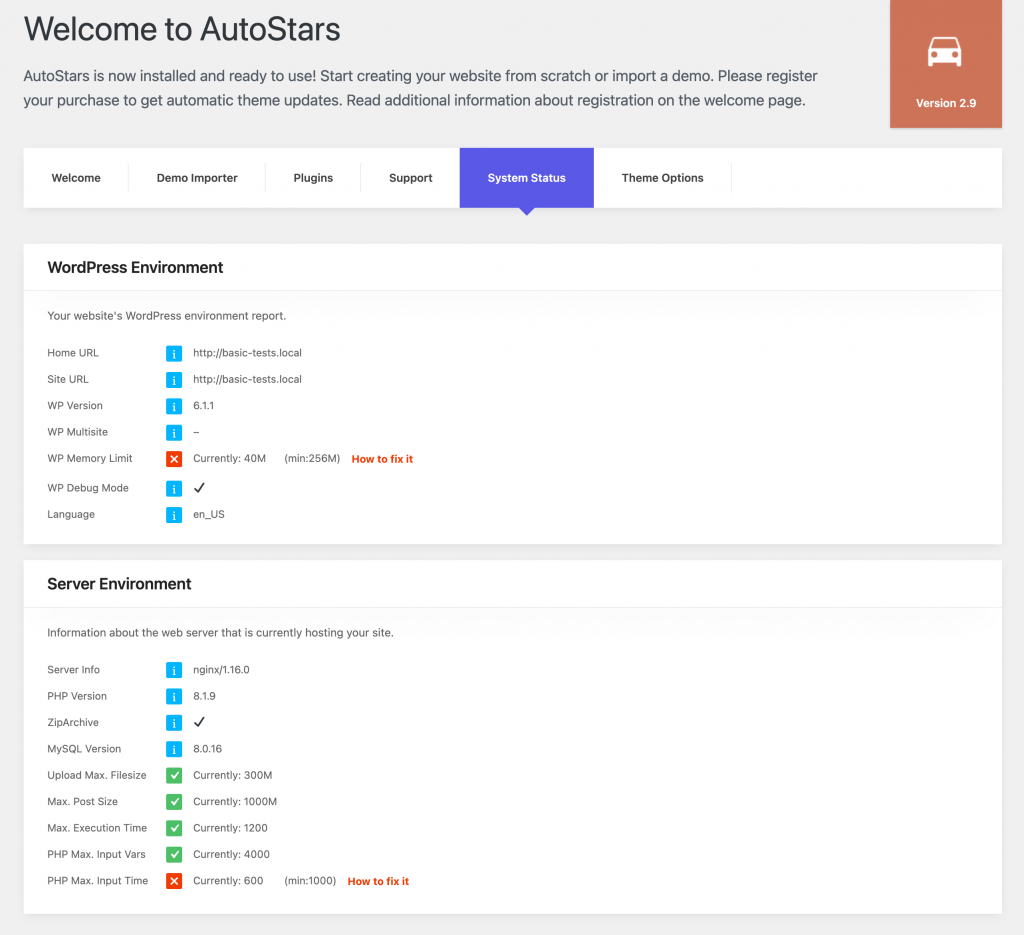
Before importing the demo, make sure you have activated all the required plugins beforehand and your server settings is as per the recommendation stated at AutoStars -> System Status
Your system status page should look like this:
Log into your WordPress Dashboard and navigate to AutoStars -> Demo Importer
Demo import video tutorial
If for some reason this one click demo import doesn’t work on your website or you have limited resources in your hosting which can not fulfils the recommendations stated at AutoStars -> System Status then you can try importing the demo using the traditional way. See guide here
NEXT STEP:
Import Demo Revolution Slider
Step 1 – Open the Slider Revolution interface by clicking on the Slider Revolution tab in your WP Admin. At the top of the interface are a row of large buttons. ‘Manual Import’ is the third one along.

Step 2 – Click that to bring up the Choose File dialog. Click ‘Click to choose’ to select the .zip file of the slider you wish to import. Slider zip archives can be found inside your downloaded package from ThemeForest under ‘Demo Content’ folder.
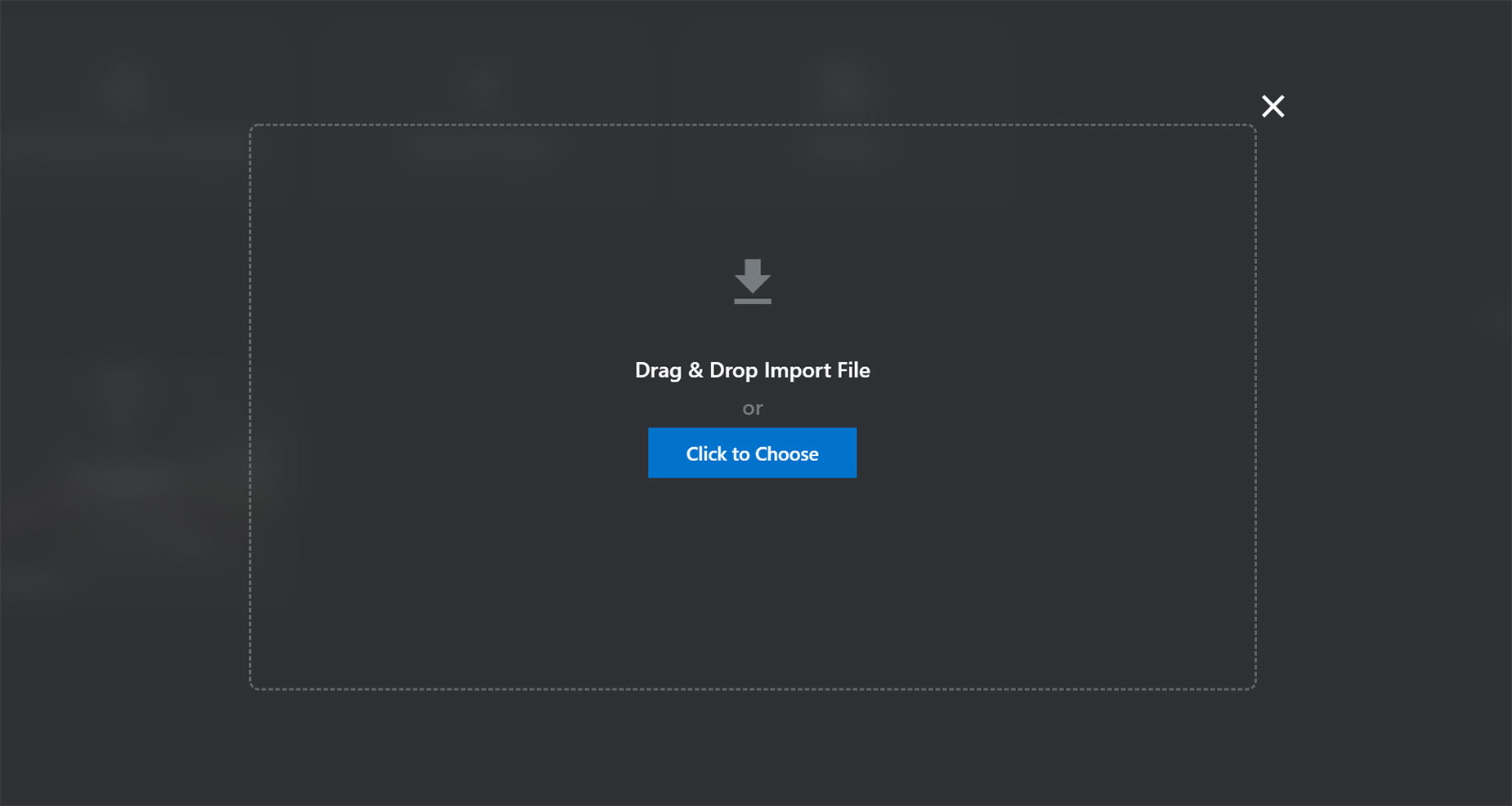
Step 3 – Once you’ve chosen the .zip file, the import process will begin.
Step 4 – Once it’s finished uploading, you will now see your imported slider in the list of Slider Revolution sliders available.
Importing Premium Sliders
Slider Revolution plugin also comes with a large range of premium sliders (templates) that can be imported. To do this however, you must purchase a license and activate the purchase code.
The version we supply with the theme is free, fully functional, and can be updated, but it does not include the premium features that a license unlocks. See below for the features a premium license unlocks.
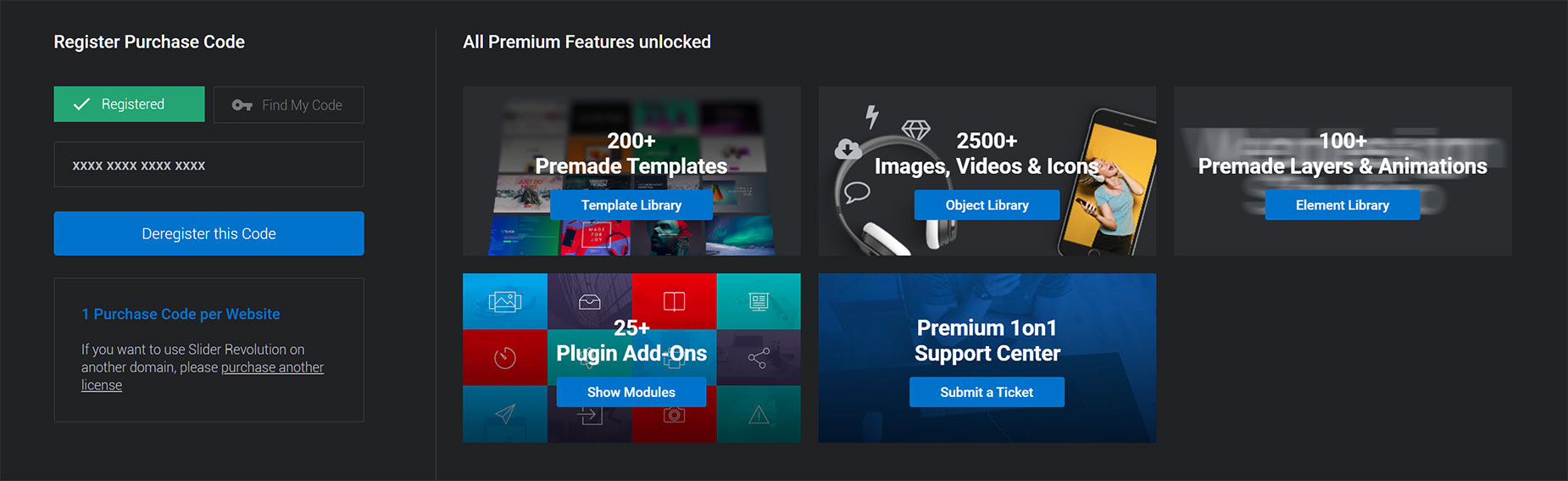
If you do upgrade to a premium license, you can import many sliders from the ‘New Module from Template’ button at the top of the Slider Revolution interface.

