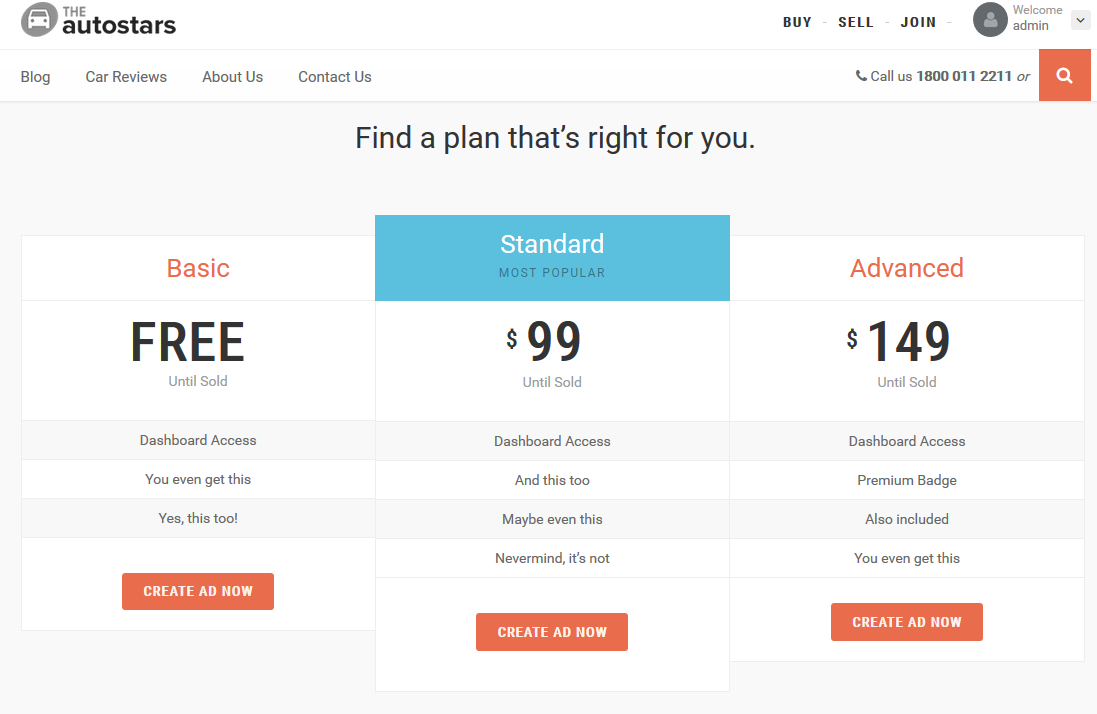
This section of the documentation will guide you on how to create a plan.
Step 1 : Log into your WordPress Dashboard and navigate to Plans > Add New
Step 2 : Enter your plan title in the upper field, and enter your plan body content in the main page editing box below it.
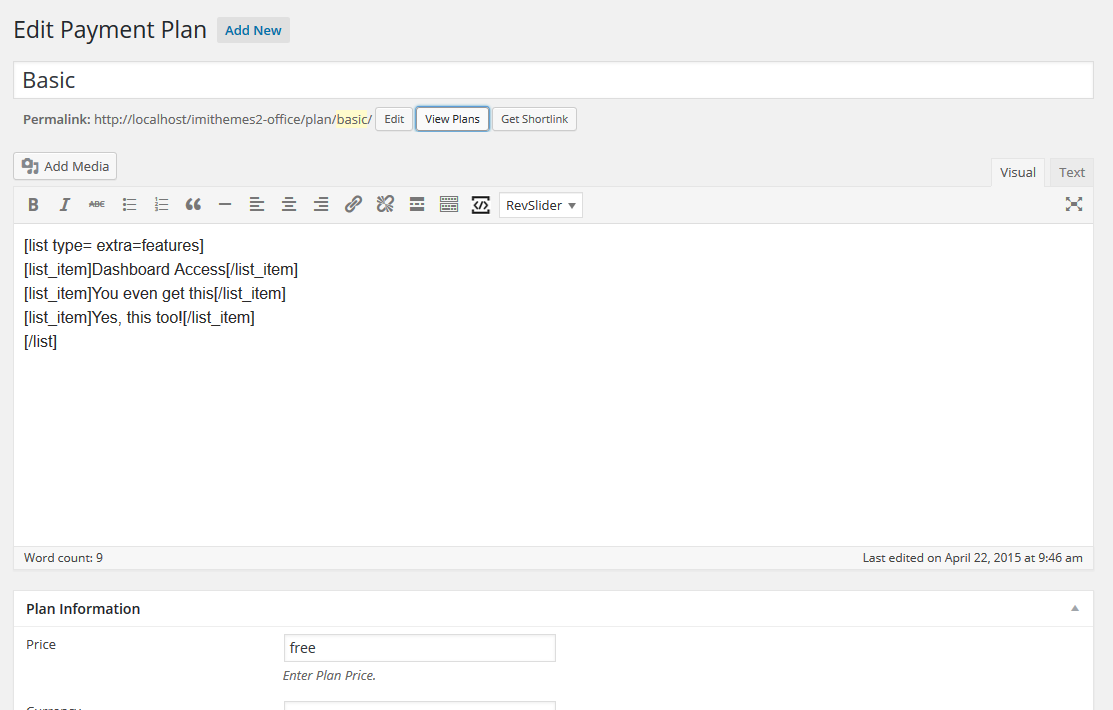
Step 3 : Plan Information
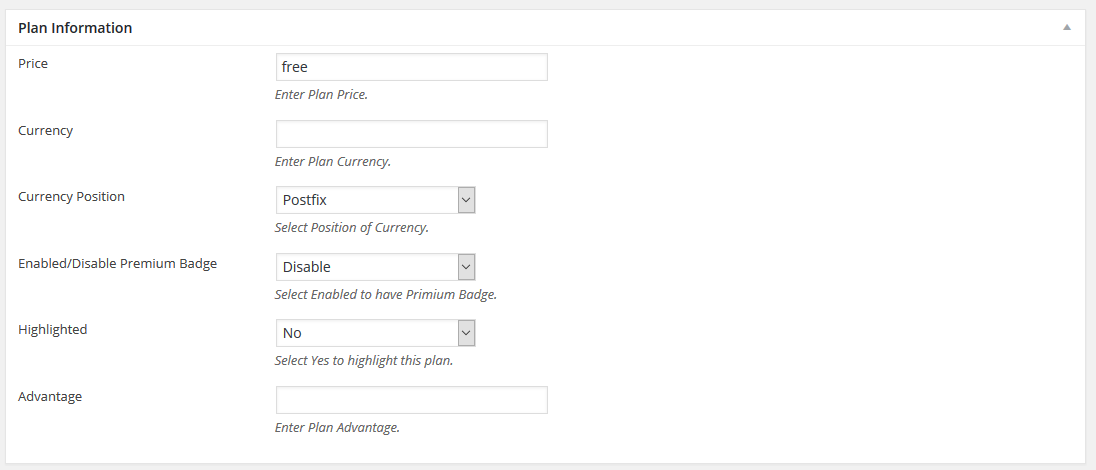
Price : Insert a price for this plan.
Currency : Enter the plan currency.
Currency Position : Choose your currency position.
Enabled/Disable Premium Badge : Display or hide the premium badge.
Highlighted : Enable or disable highlighting the plan.
Advantage : Enter an advantage for the plan.
Step 4 : Periodic Listing

Number of Days : Insert the number of days for this plan to remain active.
Step 5 : To display the plans, refer to Page Template : Home Third section of the documentation.