Tip: Before uploading the plugin make sure you unzip the plugin package downloaded(All files & Documentation) from your Envato Account Downloads page and inside of the unzipped folder upload the zip named “isermons.zip”
To install this plugin make sure you have a latest version of WordPress already installed on your website for best compatibility. For information in regard to installing the WordPress platform, please see the WordPress Codex – http://codex.wordpress.org/Installing_WordPress
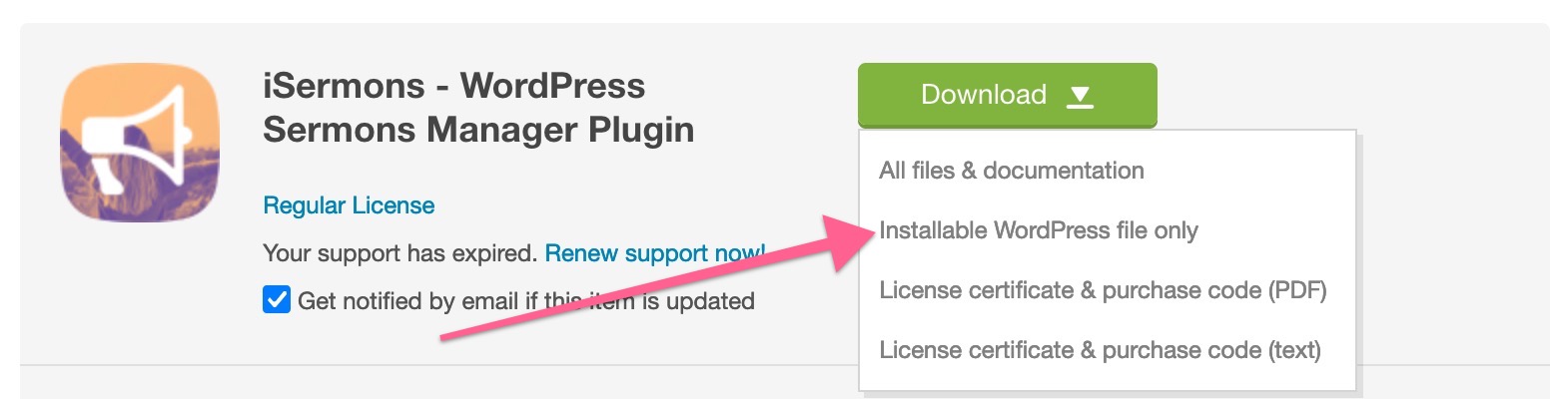
Your downloads page on Envato Market will show you 2 options for plugin download. If you plan to upload the plugin right away in your WP Dashboard then download the “Installable WordPress file only” from there. For complete package which comes with the Documentation download “All files & documentation”
Installation
When you are ready to install the iSermons plugin, you must first upload the plugin files and then activate the plugin itself. The plugin files can be uploaded in two ways:
FTP Upload: Using your FTP program, upload the non-zipped plugin folder(isermons) into the /wp-content/plugins/ folder on your server.
WordPress Upload: Navigate to Plugins > Add New > Upload. Go to browse, and select the zipped plugin folder. Hit “Install Now” and the plugin will be uploaded and installed.
Once the plugin is uploaded, you need to activate it. Go to Plugins > Installed Plugins and activate the iSermons plugin.