iSermons gives you three ways to display your sermon library on the front end of your website: Shortcodes, Elementor Widgets, and the built-in Sermon Archive. You can mix and match these methods depending on your page builder and preferences.
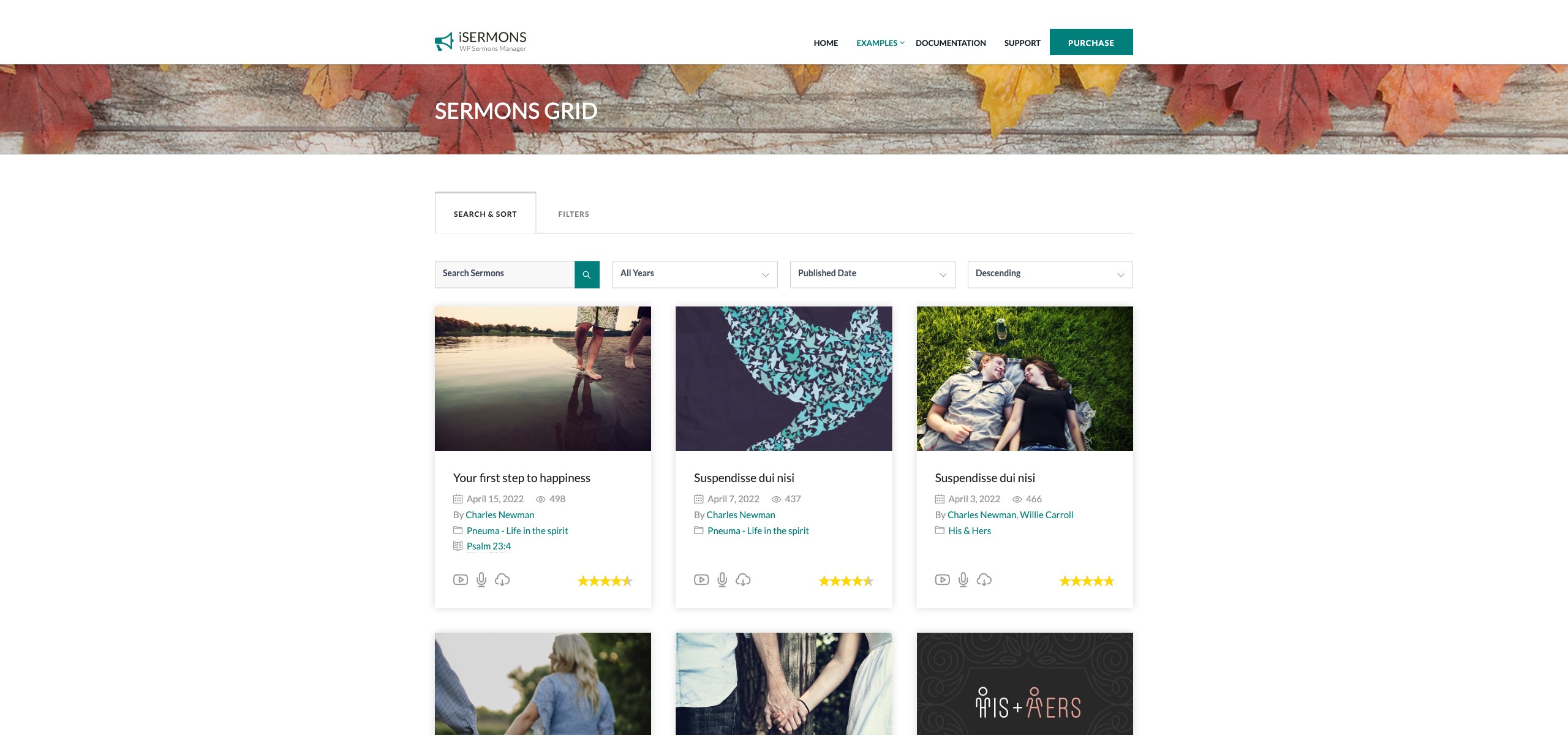
Method 1: Shortcodes
The [isermons-list] shortcode is the most flexible option. Paste it into any page, post, or widget area using the WordPress editor.
Basic example:
[isermons-list layout="grid" columns="3" limit="12"]Key attributes:
| Attribute | Description |
|---|---|
layout |
grid or list — controls the visual presentation. |
columns |
Number of columns in grid layout (1–6). |
limit |
Number of sermons to display per page. |
category, series, preacher, etc. |
Pre-filter by a specific taxonomy term slug. |
orderby |
Sort order: date, title, menu_order, etc. |
show_filter |
yes or no — show or hide the filter/search bar above the list. |
See the full [isermons-list] shortcode reference for all available attributes.
Method 2: Elementor Widgets
If you build pages with Elementor, iSermons adds three dedicated widgets to the Elementor panel:
- iSermons Widget – Full sermon list/grid with filter controls.
- iSermons Taxonomy Page Widget – Displays a taxonomy term grid (e.g. all series with thumbnails).
- iSermons Playlist Widget – Compact playlist-style layout ideal for sidebars or dedicated sermon pages.
Drag any widget onto your page, then configure all display options from the Elementor panel on the left — no shortcode knowledge required.
Method 3: Sermon Archive Page
When Settings → General → Sermon Archive is enabled, WordPress automatically creates an archive page at yoursite.com/imi_sermon/ that lists all published sermons using the default iSermons template. This is the zero-configuration option — no shortcodes or page builders needed.
Tip: If you want to display sermons on a custom page (e.g. a page called “Sermons” in your navigation), use the shortcode or Elementor widget method and assign it to that page. This gives you full control over the URL, layout, and filters shown.
[Screenshot: A frontend sermon grid page showing multiple sermon cards with thumbnails, titles, dates, and filter dropdowns at the top]