Sidebars are used to display selected widgets at the left or right of your pages/posts. You can set location(Left/Right) of the sidebars globally for all pages along with default sidebar set for different page/post types or can choose a different sidebar per page/post with different location(Left/Right). Theme also comes with some prebuilt sidebars with an option to create new sidebars. Below are the details for all these points:
Prebuilt Sidebars
- Home Page Sidebar
- Contact Sidebar
- Inner Page Sidebar
- Sermons Sidebar
- Event Page Sidebar
- Single Event Page Sidebar
- Post Sidebar
- Footer Sidebar
You should already know that sidebars are used with widgets inside it. To know more about using widgets see this article “How to Add & Use Widgets in WordPress“.
Creating New Sidebars
Theme use Pojo Sidebars Plugin to allow you to add new sidebars apart from the included ones. Newly created sidebars along with the prebuild sidebars will be available at your WP Dashboard => Appearance => Widgets for you to enter widgets in them.
Default Sidebars & Position
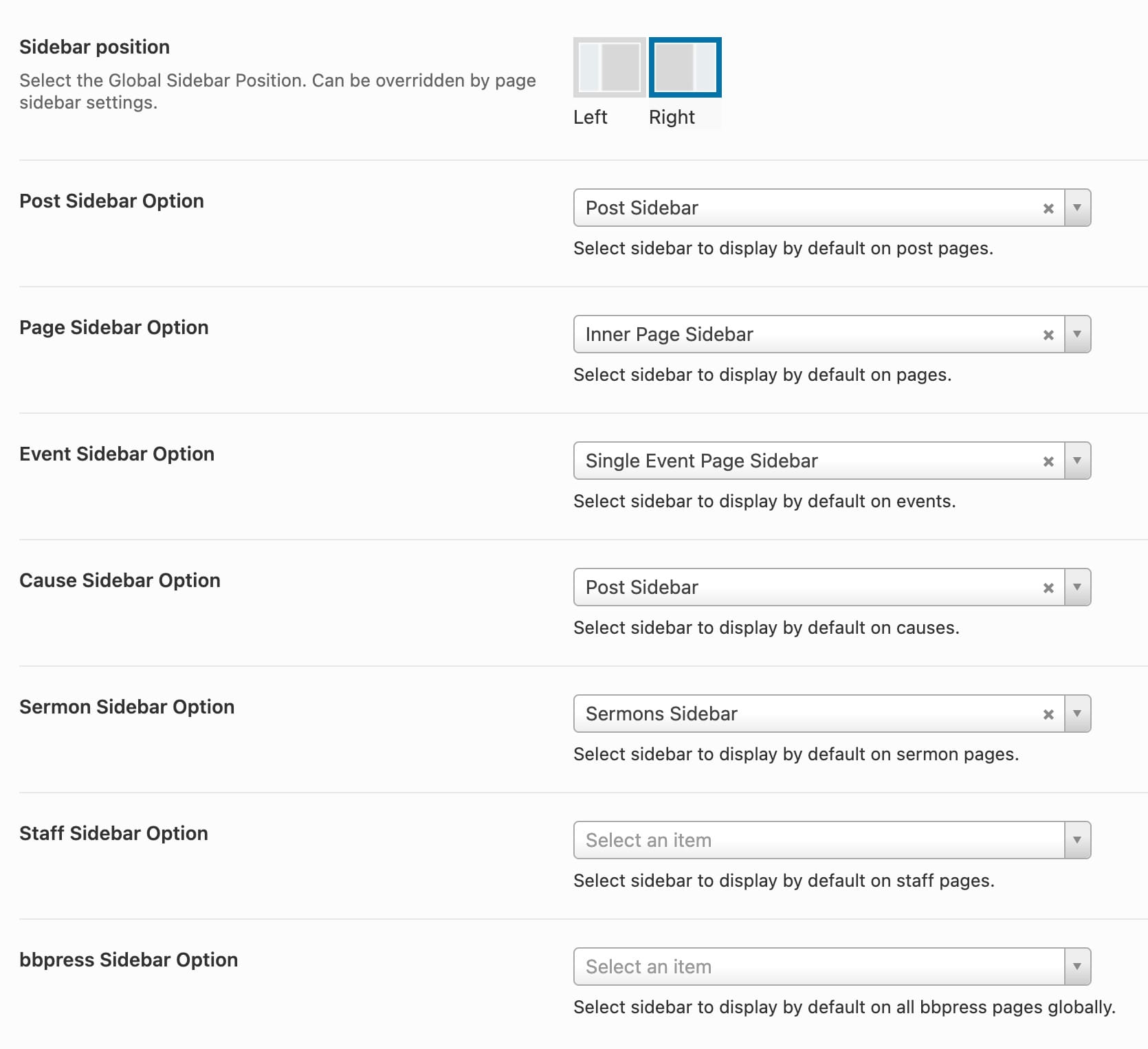
To set default sidebars for the different post types, move to your WP Dashboard => Native Church => Theme Options => Sidebars
Page Specific Sidebar & Position
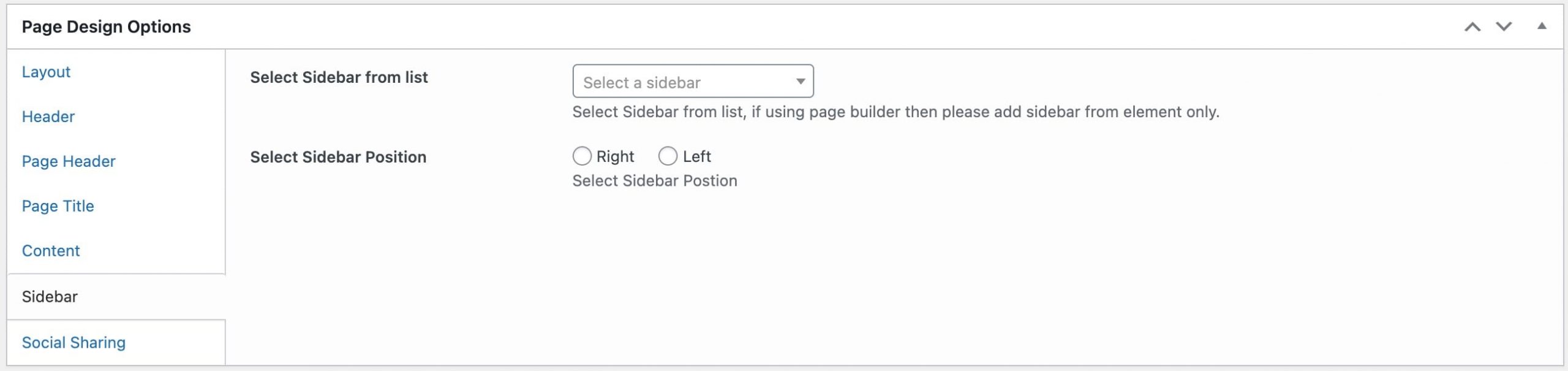
When creating/editing any page/post you can find this metabox to select specific sidebar and it’s position for that respective page.