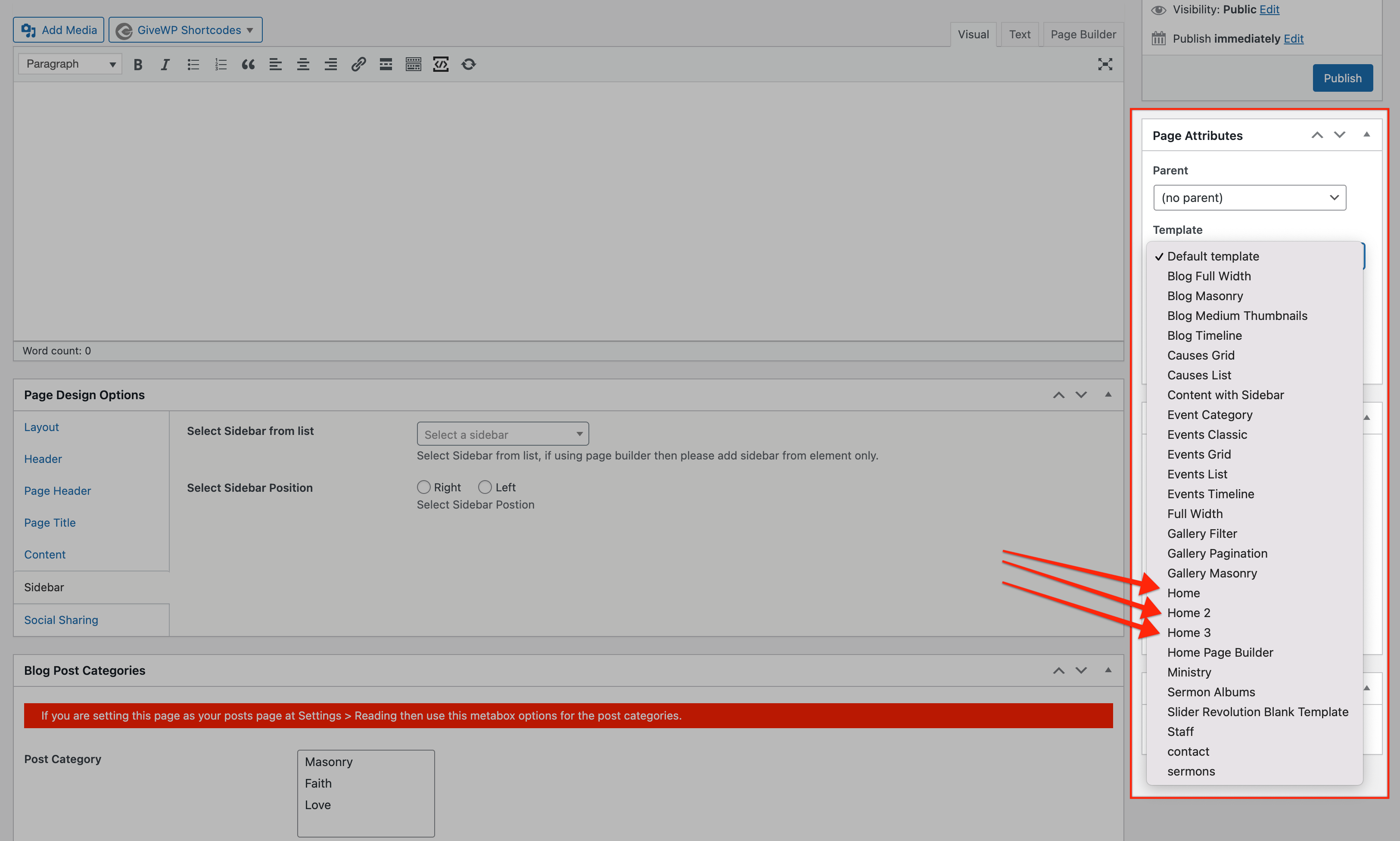
There are 3 different ‘Page Templates” available for the home page designs.
To choose a template you should look for ‘Page Attributes’ meta box while creating/editing your page:
Once a page template is selected for your page, you will see some new Meta Boxes available to manage the content of the page. Keep a note that the page templates design/layout can’t be changed unless you do editing in the code. Below is an image showing how to manage the content of the different home page styles:
Template Home
This home page template is divided into 6 different content sections, as described below:
1. Slider
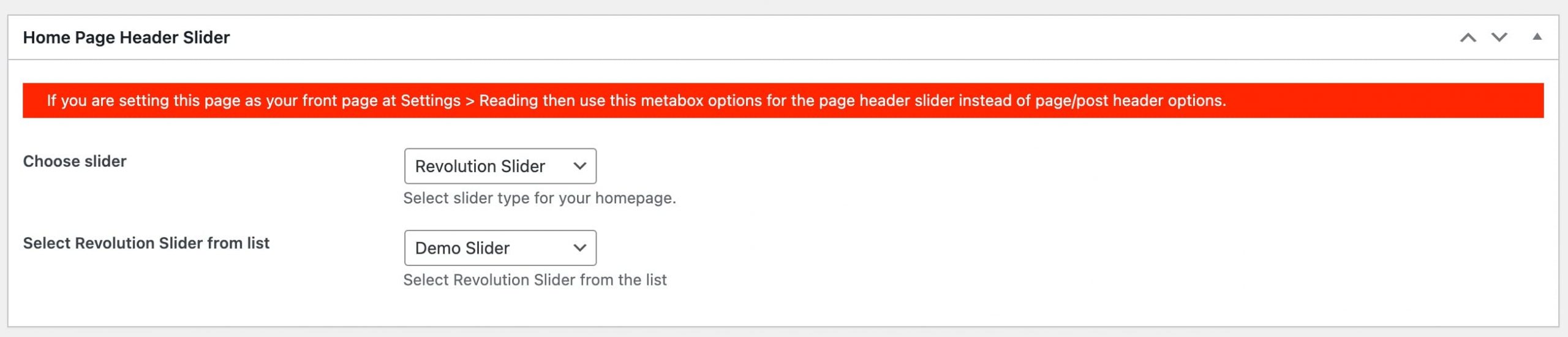
You can select main slider for this page from the available 2 types; ‘Slider Revolution’ and ‘Flexslider’
2. Notice Bar
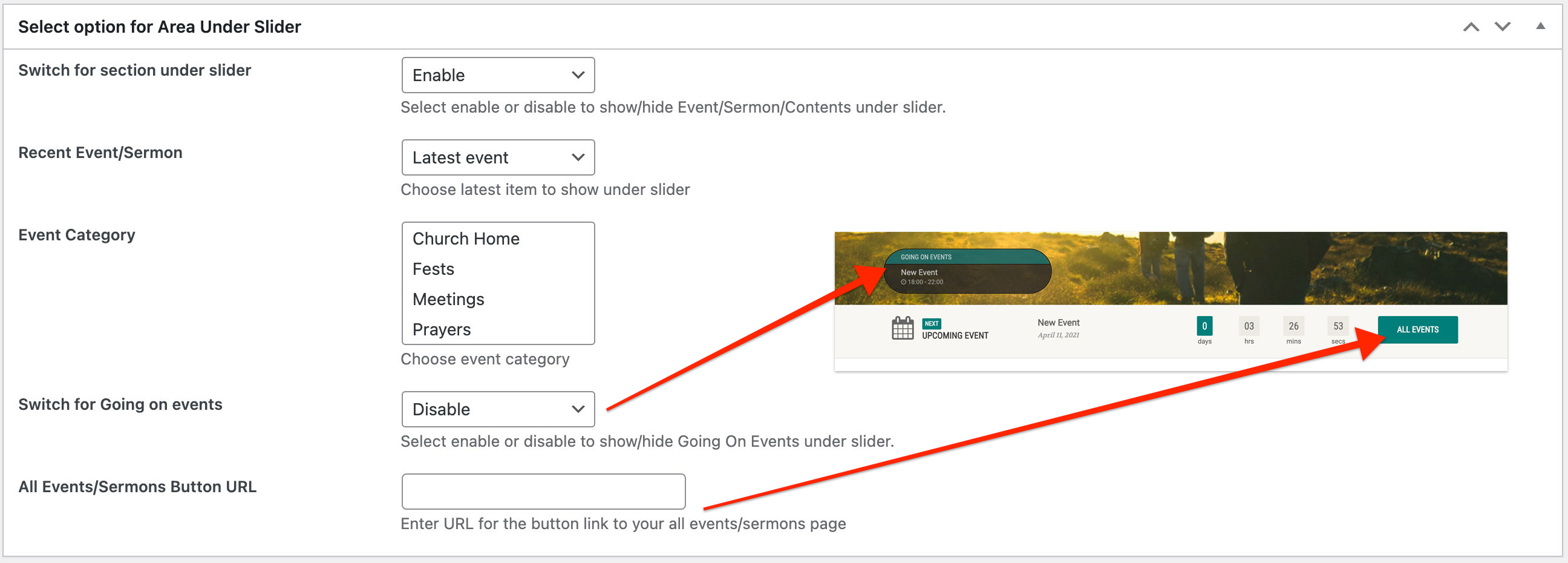
This area comes just under the slider of the page. Notice bar can show 3 types of content; Upcoming event countdown, Latest sermon or custom text.
3. Featured Blocks
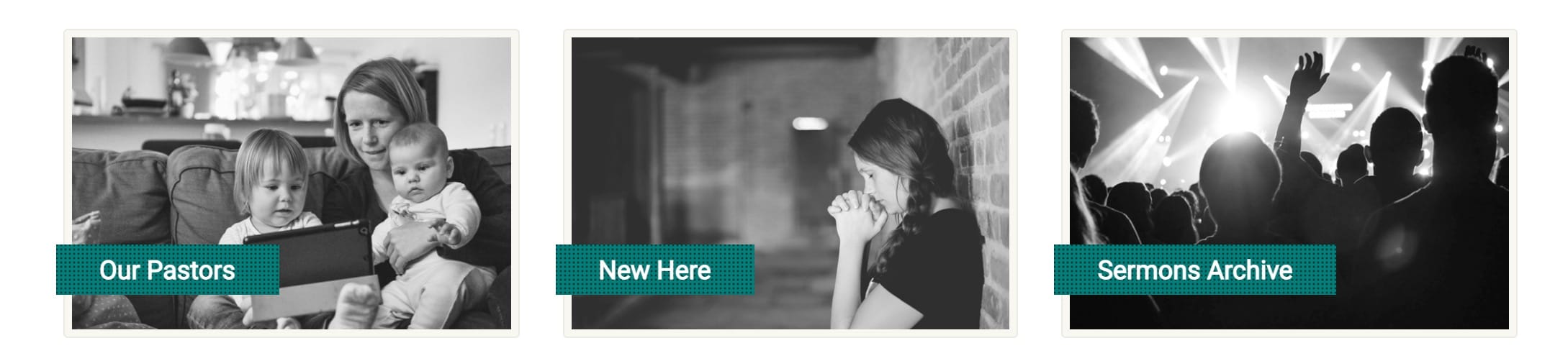
Featured blocks when used for page templates works like showing other page’s featured image and URL to show a block on the homepage. How the featured blocks look:
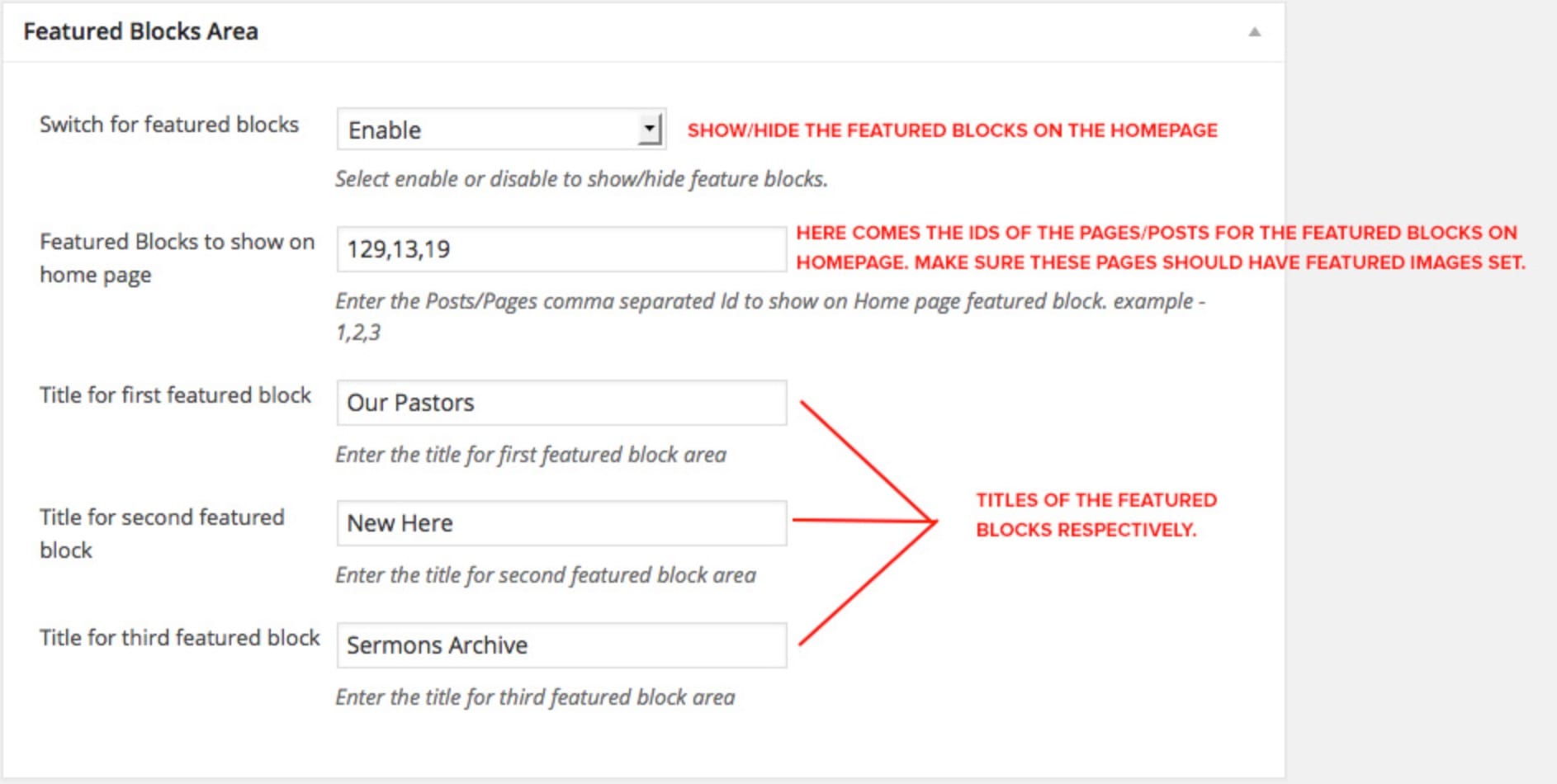
Here’s how they work:
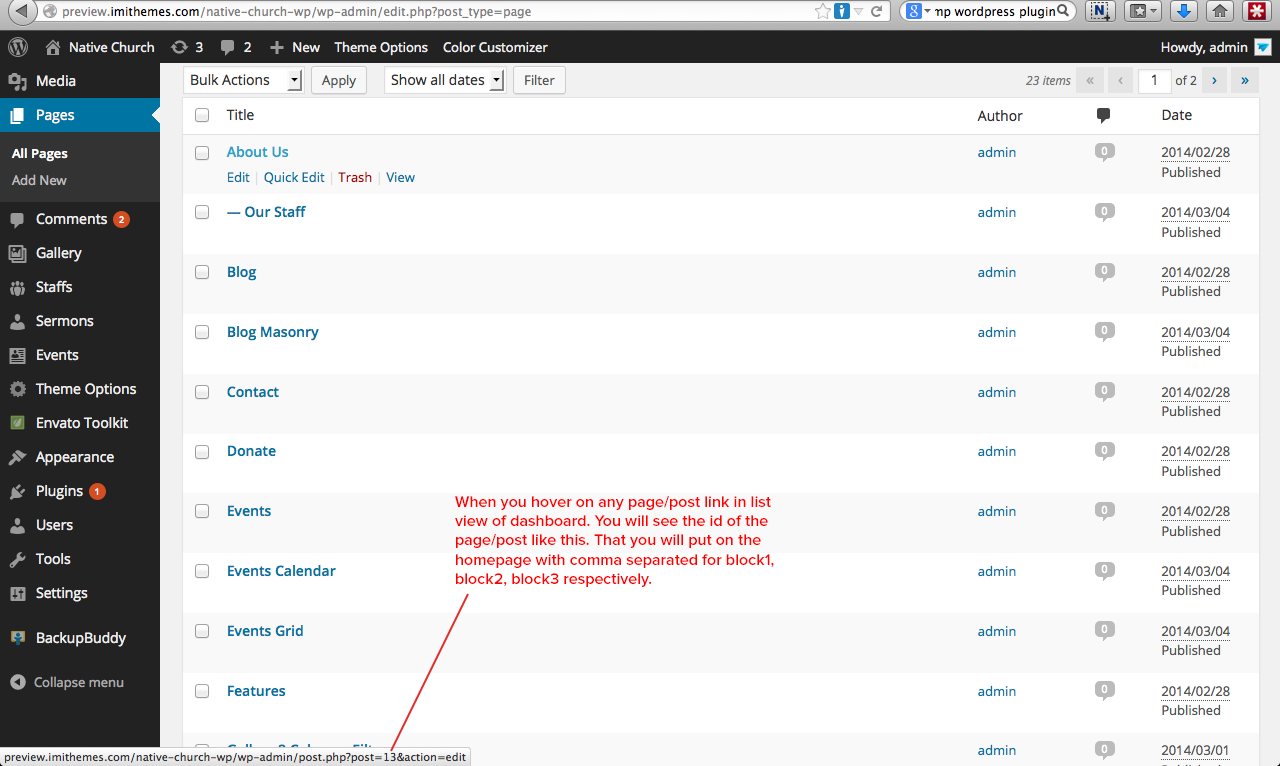
How to get IDs of the page/post:
4. Upcoming Events
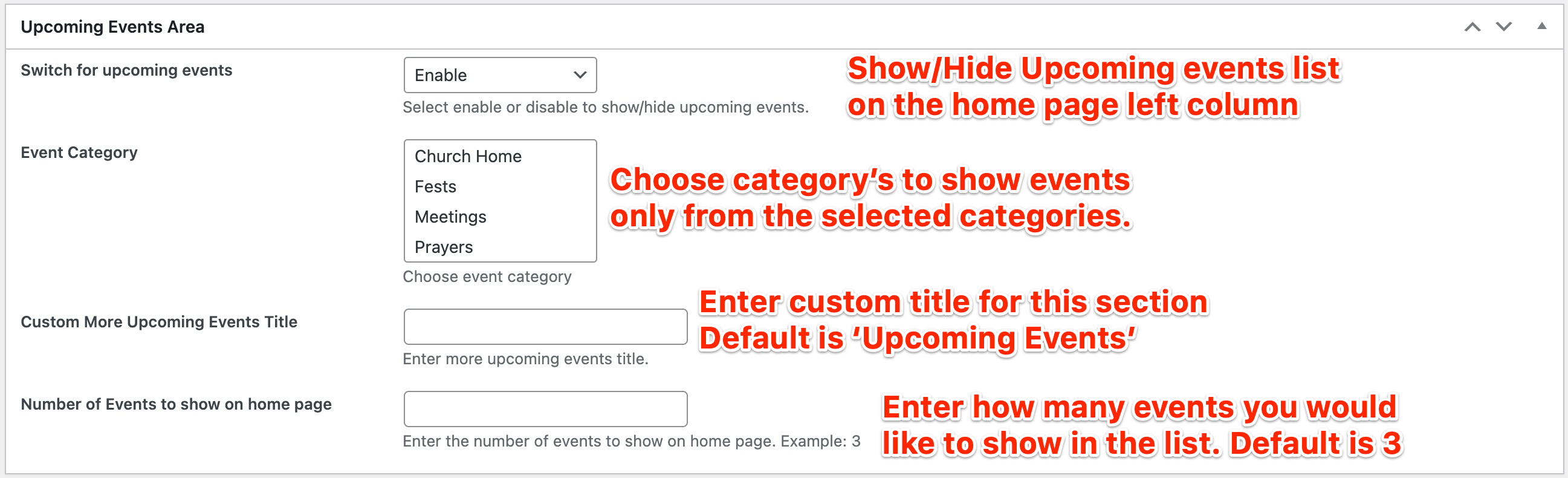
The next section of the ‘Home’ page template is the upcoming events list. Options for this section are as follows:
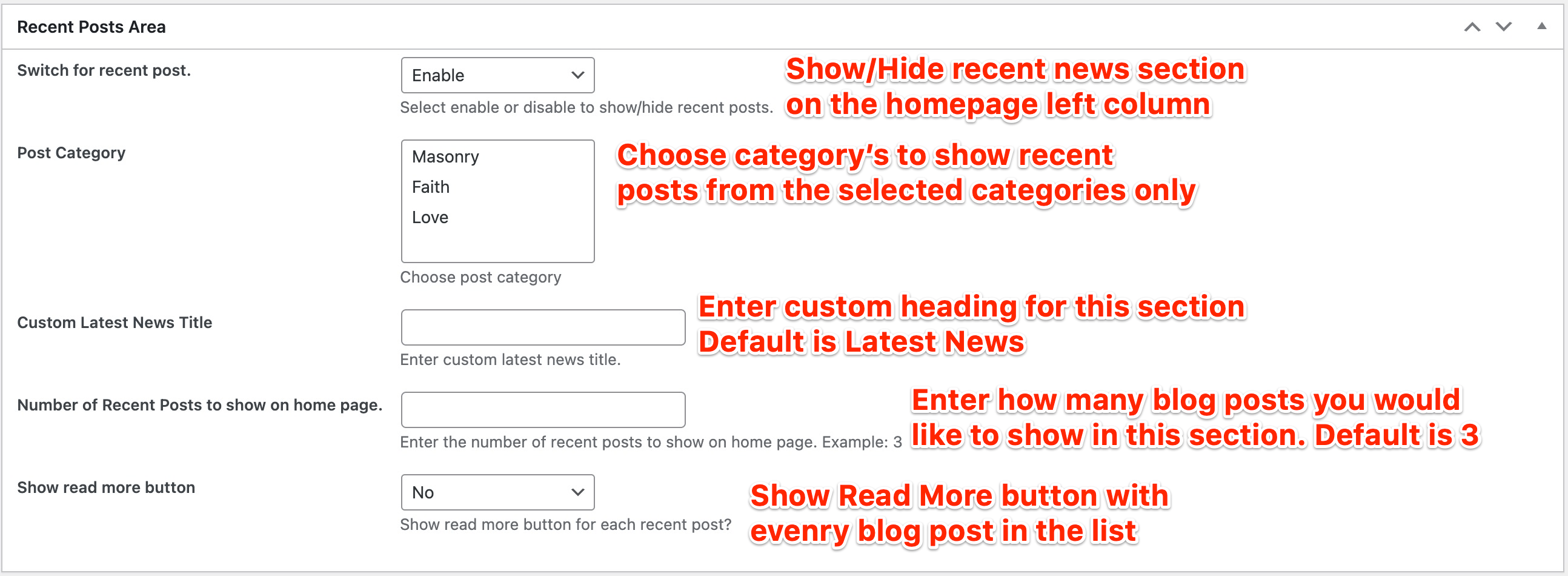
5. Recent Posts
You may show recent blog posts on the homepage using this next section.
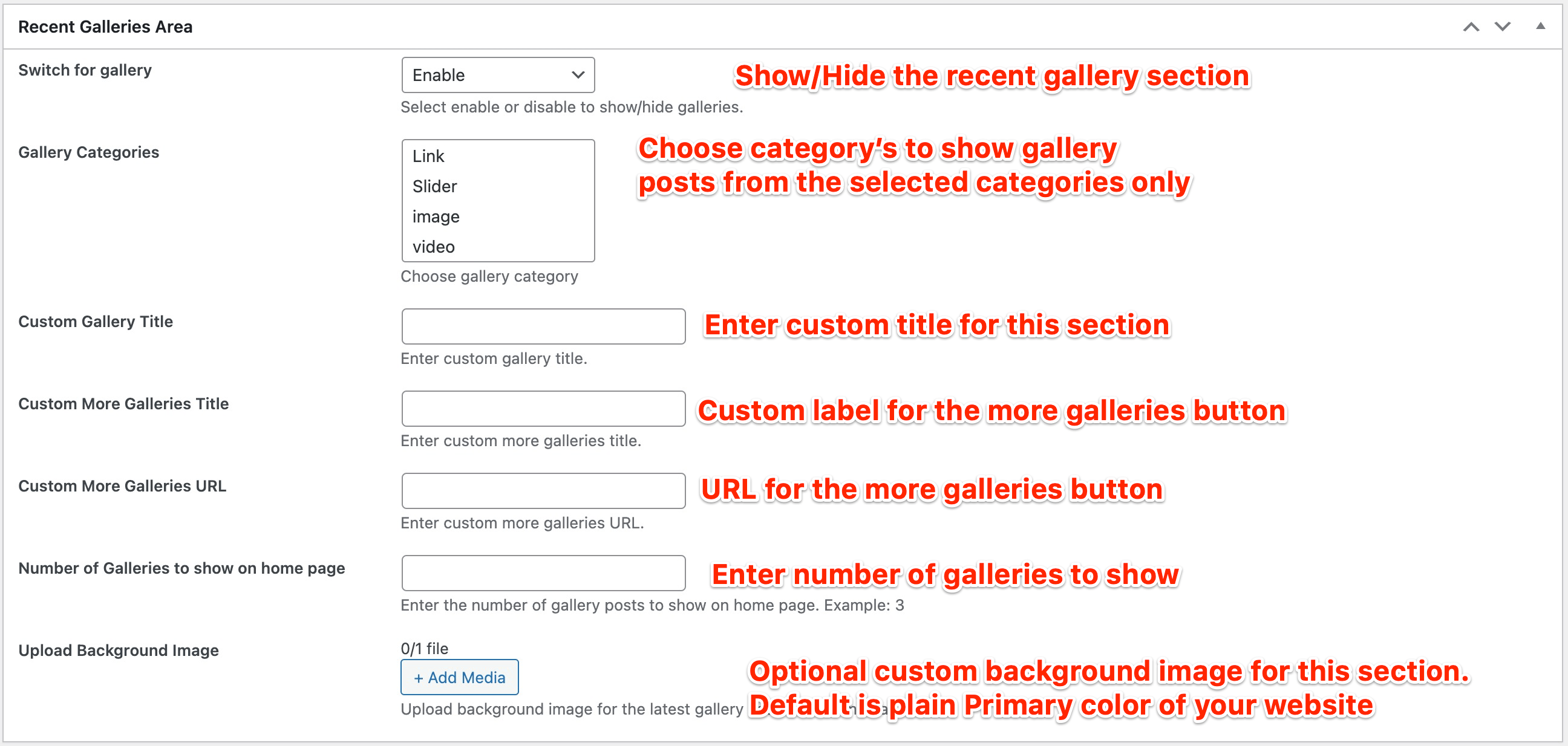
6. Recent Gallery
The last section on the homepage which is just above the footer of the website is a full width colored area which shows the most recently added gallery posts.
Template Home2
This home page template is divided into 3 different content sections, as described below:
1. Slider
You can select main slider for this page from the available 2 types; ‘Slider Revolution’ and ‘Flexslider’
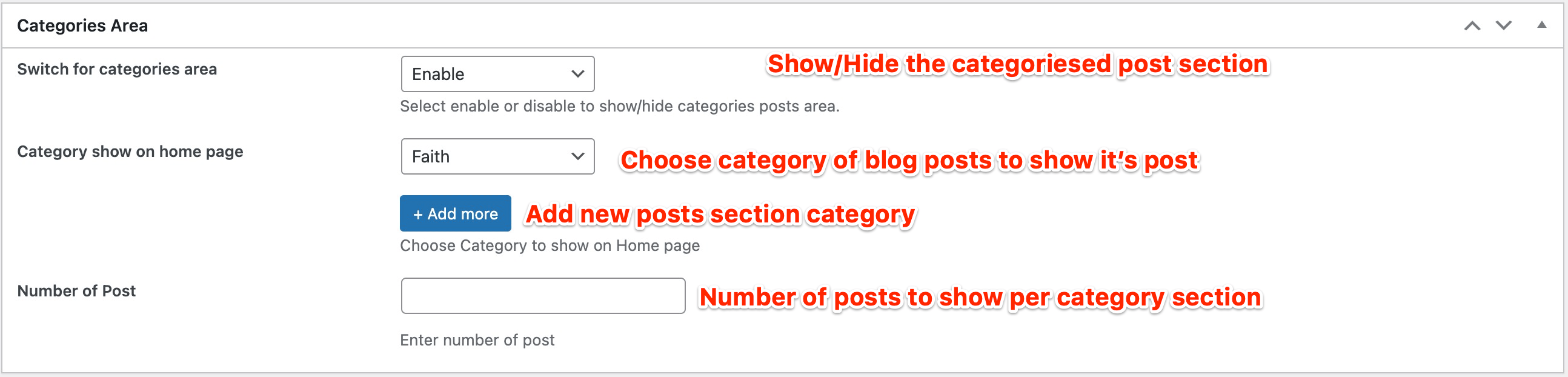
2. Categorised Posts
This section can show blog posts list in different blocks as per the chosen category. Also it will show a bar with the selected categories and a search form.
3. Recent Gallery
The last section on the homepage which is just above the footer of the website is a full width colored area which shows the most recently added gallery posts.
Template Home3
This home page template is divided into 6 different content sections, as described below:
1. Slider
You can select main slider for this page from the available 2 types; ‘Slider Revolution’ and ‘Flexslider’
2. Notice Bar
This area comes just under the slider of the page. Notice bar can show 3 types of content; Upcoming event countdown, Latest sermon or custom text.
3. Upcoming Events
The next section of the ‘Home’ page template is the upcoming events list. Options for this section are as follows:
4. Recent Posts
You may show recent blog posts on the homepage using this next section.
5. Recent Gallery
The next section on the homepage is a full width colored area which shows the most recently added gallery posts.
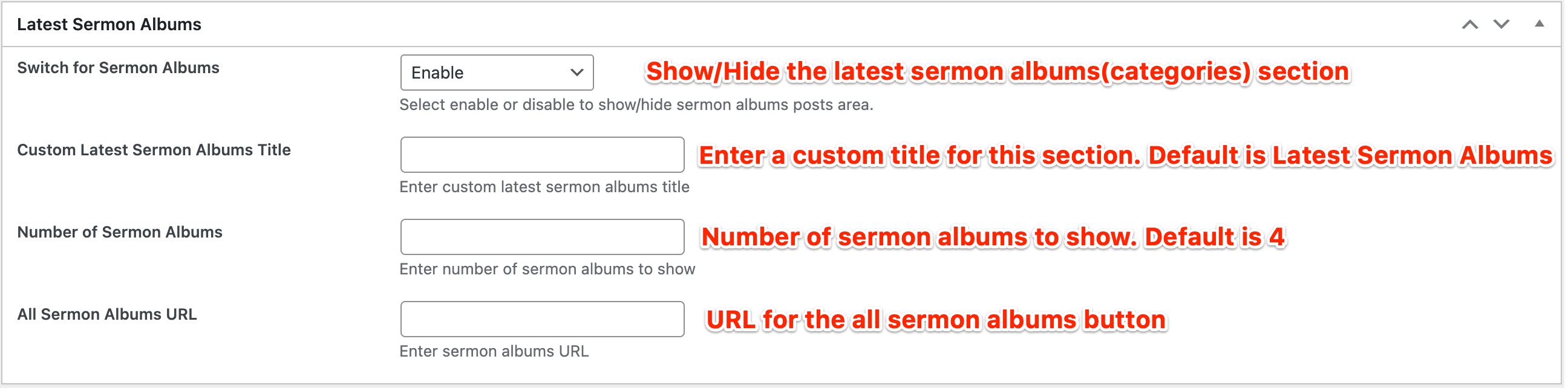
6. Recent Sermon Albums
We say sermon categories as albums here, which are displayed alike CD cover style. This is the last section on the homepage version ‘Home3’