All the options for the logo can be found at WP Dashboard => Native Church => Theme Options => Logo
Upload your standard logo

There is no specific size for the standard logo but uploading a properly resized logo image is always recommended since the space for the logo is limited to 1/3 of the header area. The logo image used in the demo has dimension of 236px width and 36px height. Uploading a logo image of 250px width should be used and height can vary. In case your logo image height is more than 50px then you must increase your header height from WP Dashboard => Native Church => Theme Options =>Header
Upload logo for the retina display

Retina Display is a marketing term developed by Apple to refer to devices and monitors that have a resolution and pixel density so high – roughly 300 or more pixels per inch. For a crisp and clear logo image on the retina display devices you should consider uploading a logo image here. This images should exactly be double the size of your standard logo image. For example, if your logo image is 250px by 50px then the retina image will be 500px by 100px.
Standard logo width/height for the retina logo

In these fields you should enter your standard logo width and height in order to keep the retina logo properly resized on the retina display devices. For example, if your logo image is 250px by 50px then enter 250 in the width field and 50 in the height field.
Logo image alt text

In this field you can optionally enter a custom text which will be used as alternative text of your standard and retina logo image. The alt attribute provides alternative information for an image if a user for some reason cannot view it (because of slow connection, an error in the src attribute, or if the user uses a screen reader).
Page specific logo image settings
All the above options for the logo is used for the whole website globally, however you can also add a different logo for a specific set of pages/posts. These options are available when you are creating/editing any of your page/post.

Admin Logo
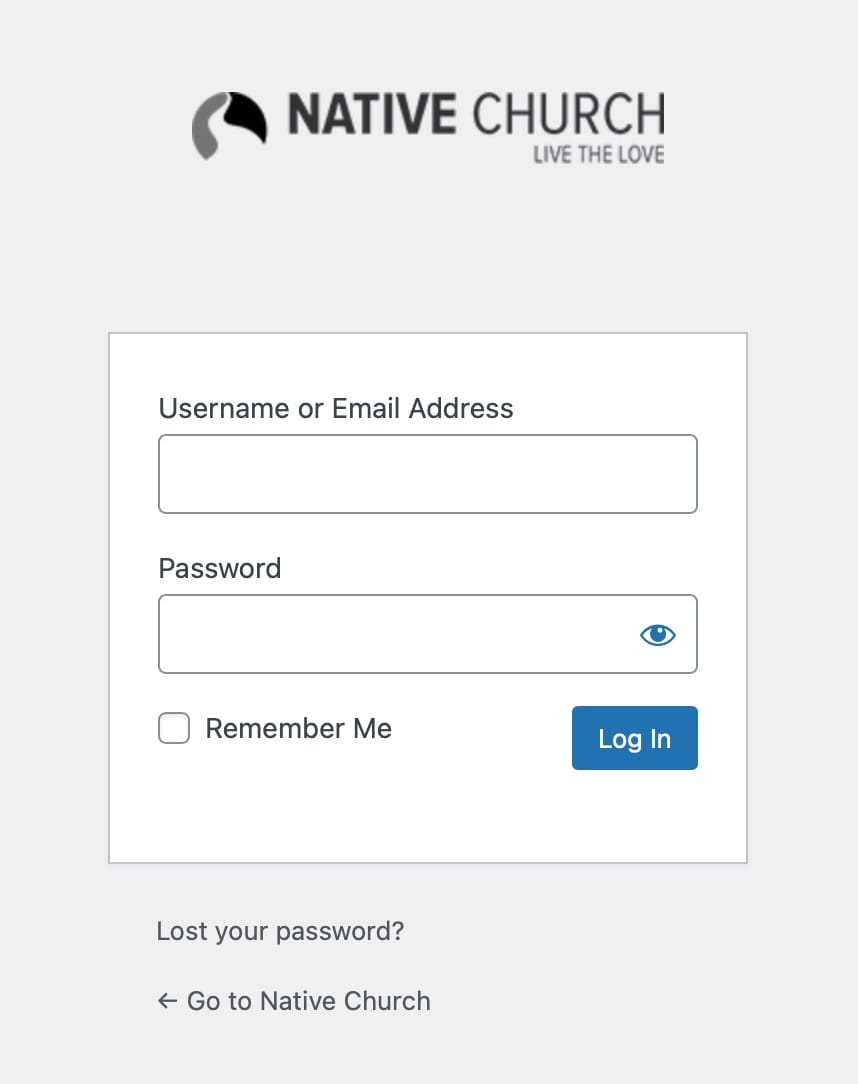
This theme comes with an inbuilt option to replace WordPress default logo on the WP login page. The same logo is also used for the theme’s inbuilt Maintenance Mode page. The field for this logo is available at your WP Dashboard => Native Church => Theme Options => Logo => Admin Logo

Sample WordPress login page with custom logo
Favicon/Site Icon
This theme comes with separate options for the favicon and App icons which can be found at your WP Dashboard => Native Church => Theme Options => Logo =>Favicon Options. However we now recommend uploading your favicon/logo image at Appearance => Customize => Site Identity

