We always recommend keeping a full backup of your website before you update your theme. This can be done using any of these recommended plugins UpdraftPlus & BackupBuddy
Updating Native Church theme is easy from within your WP Dashboard as the core plugin of the theme comes with bundled Envato Market plugin. Your website needs to be connected with the Envato API first to receive updates. To do this you need to create a Personal Token by follow the instructions on your WP Dashboard => Envato Market (Settings) page.
More details about generating Envato Personal Token can be found here
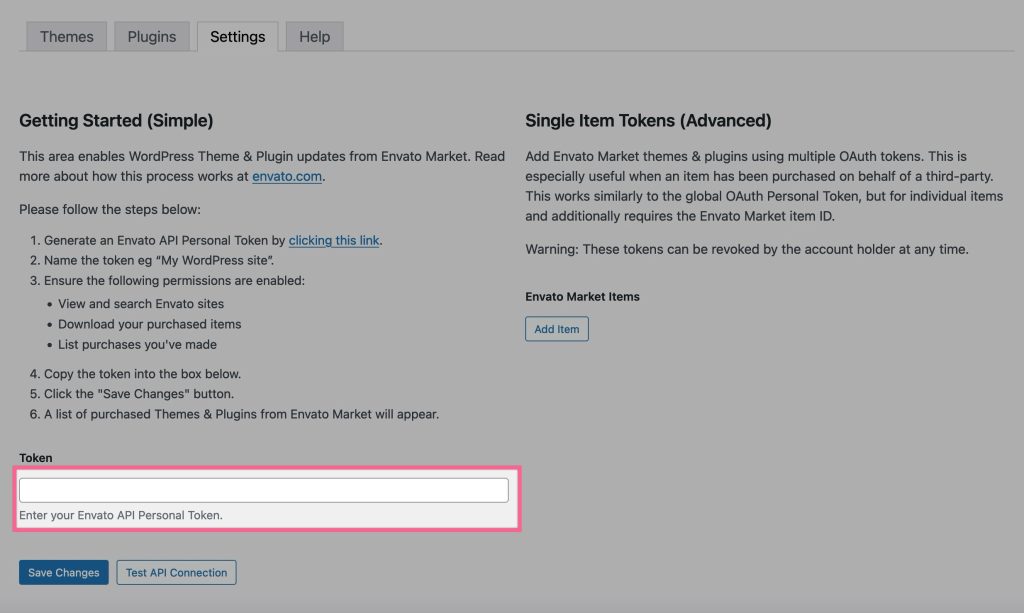
Once the Envato Token is added to your WP Dashboard => Envato Market => Themes tab, you will see the available updates.
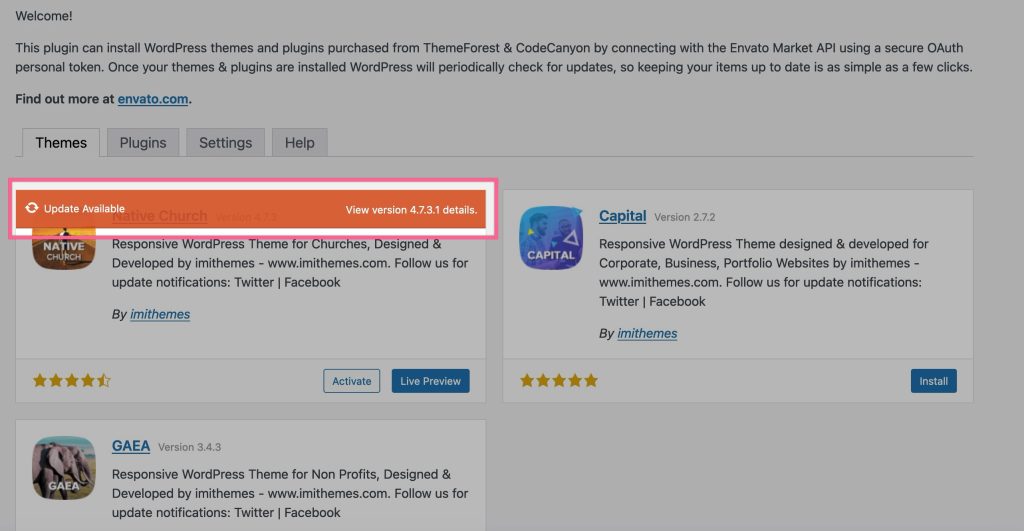
When a new update for the theme is available, you will see ‘Update Available’ link and upon clicking it theme will be updated to the newst version.
Using older version(< 3.0) of theme?
The above method of theme update was added in version 3.0 of theme. Users with an older version of theme should use the Envato Market plugin to update their theme. See details here
Note: You can always download the latest version of theme from your ThemeForest’s Downloads page, the installable theme can be uploaded at Appearance => Themes