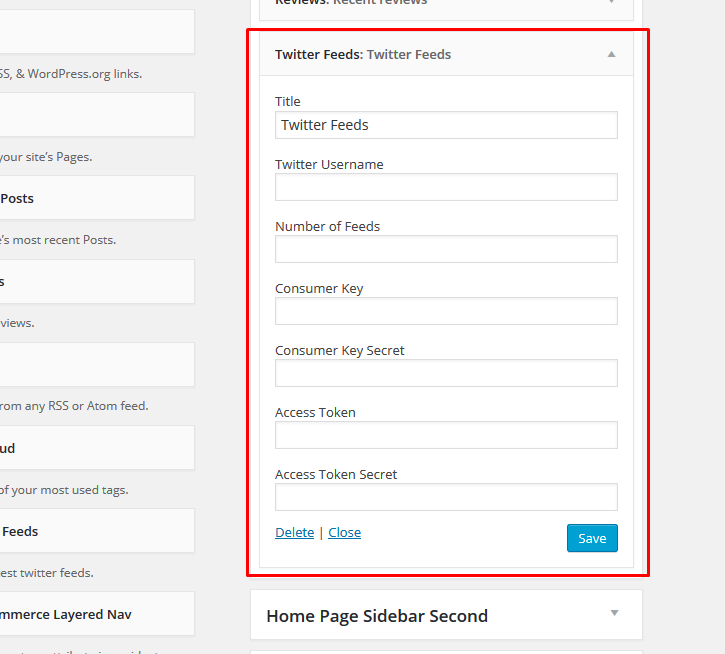
Configuring your Twitter Feeds Widget
New twitter api needs you to get an app information to show widgets on your website or blog.
This part of the documentation will guide you on how to configure your Twitter Feeds Widget.
Step 1 : Go to https://dev.twitter.com/apps/new and log in, if necessary
Step 2 : Supply the necessary required fields, accept the TOS and make sure you have added your mobile phone to your Twitter profile before creating an application.

Step 3 : Click on the “manage keys and access tokens” to access Consumer Secret Key.

Step 4 : Copy the consumer key (API key) and consumer secret from the screen into your application

Step 5 : Ensure that your application is configured correctly with the permission level you need (read-only, read-write, read-write-with-direct messages).

Step 6 : On the “Keys and Access Tokens” page, create “Your access token” you needed.

Step 7 : Copy the indicated access token, access token secret, consumer key and consumer secret key from the Twitter Application into your Twitter Widget.