Using Shortcodes
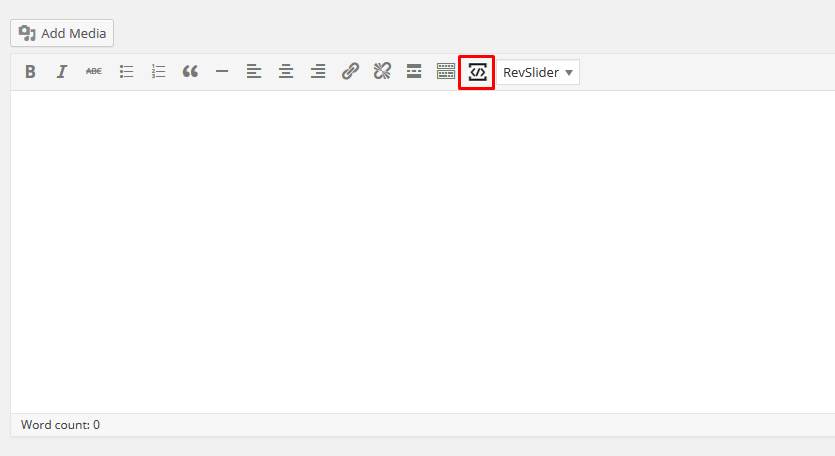
Adore Church comes with a Shortcode manager, when using the WordPress editor or Page builder text block module you can find the Shortcode manager icon in the WordPress TinyMCE.
This guide provides detailed documentation for all shortcodes included with the Adore Church Core plugin. You can use these shortcodes in posts, pages, or widgets (where shortcode support is enabled) to add powerful layout and content features.
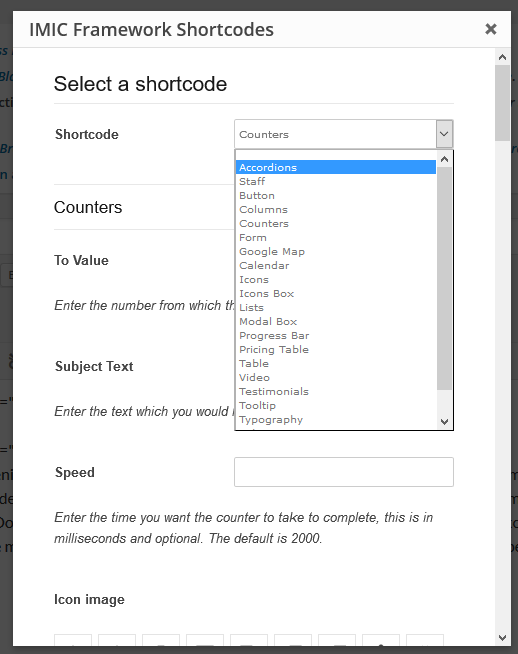
1. [staff]
Displays staff/speakers with their photos, social icons, and optional modal.
Attributes:
title– Title headingtype– Layout style (1 or 2)order– “yes” or “no”number– Number of posts to showcolumn– Grid columns (e.g., 4)cat– Category slug
Example: [staff title="Our Team" type="1" number="4" column="4" order="yes" cat="leadership"]
2. [pricing_table]
Wrap container for individual pricing items. [pricing_table]...[/pricing_table]
Use with the following nested shortcodes:
– [pricing_table_heading]
[pricing_table_heading]Standard Plan[/pricing_table_heading]
– [pricing_table_price]
[pricing_table_price]49[/pricing_table_price]
– [pricing_table_interval]
[pricing_table_interval]per month[/pricing_table_interval]
– [pricing_table_row]
Add individual features. [pricing_table_row]5GB Storage[/pricing_table_row]
– [pricing_table_url]
Add signup URL. [pricing_table_url]http://example.com[/pricing_table_url]
3. [button]
Creates a styled button.
Attributes:
color,size,url,target,icon,text
Example: [button url="http://example.com" color="blue" size="medium" icon="fa-check"]Click Me[/button]
4. [icon], [icon_box]
Used to display FontAwesome icons or box sections.
Example: [icon icon="fa-heart"]
[icon_box title="Mission" icon="fa-cross"]Our mission text.[/icon_box]
5. Video
[ video url=”https://www.youtube.com/watch?v=xyz” ]
6. [gmap]
Embed Google Map iframe. [gmap address="New York, NY"]
7. [tabs], [tab], [tabh], [tabc], etc.
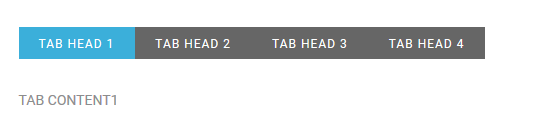
Create tabbed content blocks.
Structure:
|
1
2
3
4
5
6
7
8
9
10
11
12
13
14
|
[tabs][tabh][tab id="0" class="active"]TAB HEAD 1[/tab][tab id="1" class=""]TAB HEAD 2[/tab][tab id="2" class=""]TAB HEAD 3[/tab][tab id="3" class=""]TAB HEAD 4[/tab][/tabh][tabc][tabrow id="0" class="active"]TAB CONTENT1[/tabrow][tabrow id="1" class=""]TAB CONTENT2[/tabrow][tabrow id="2" class=""]TAB CONTENT3[/tabrow][tabrow id="3" class=""]TAB CONTENT4[/tabrow][/tabc][/tabs] |
8. [accordions], [accgroup], [acchead], [accbody]
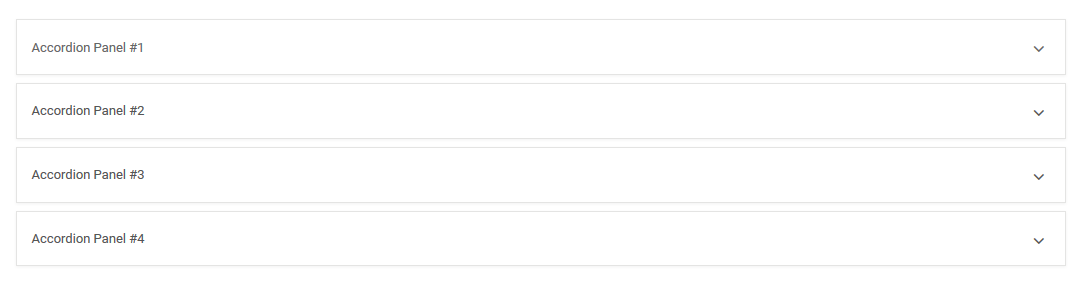
Create accordion toggle elements.
Example:
|
1
2
3
4
5
6
7
8
9
10
11
|
[accordions id=""][accgroup][acchead id="" tab_id="0" class="active"]Accordion Panel #1[/acchead][accbody tab_id="0" in="in"]Accordion Body #1[/accbody][/accgroup][accgroup][acchead id="" tab_id="1" class=""]Accordion Panel #2[/acchead][accbody tab_id="1" in=""]Accordion Body #2[/accbody][/accgroup][/accordions] |
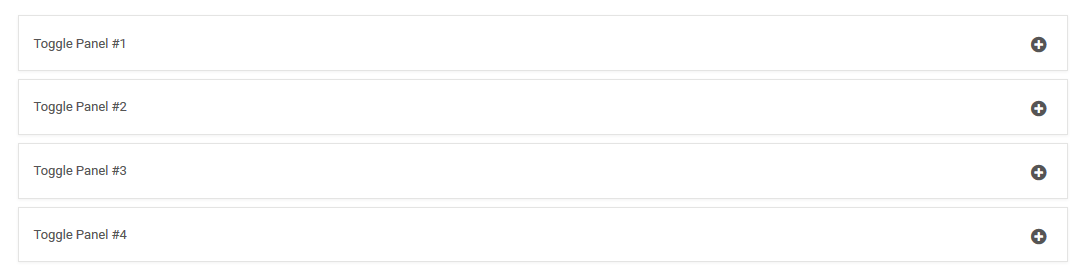
9. [toggles], [togglegroup], [togglehead], [togglebody]
Similar to accordions but can all stay open.
|
1
2
3
4
5
6
7
8
9
10
11
12
13
14
15
16
17
18
|
[toggles id=""][togglegroup][togglehead id="" tab_id="0"]Toggle Panel #1[/togglehead][togglebody tab_id="0"]Toggle Body #1[/togglebody][/togglegroup][togglegroup][togglehead id="" tab_id="1"]Toggle Panel #2[/togglehead][togglebody tab_id="1"]Toggle Body #2[/togglebody][/togglegroup][togglegroup][togglehead id="" tab_id="2"]Toggle Panel #3[/togglehead][togglebody tab_id="2"]Toggle Body #3[/togglebody][/togglegroup][togglegroup][togglehead id="" tab_id="3"]Toggle Panel #4[/togglehead][togglebody tab_id="3"]Toggle Body #4[/togglebody][/togglegroup][/toggles] |
10. [progress_bar]
Animated progress bar. [progress_bar percent="70" label="Skill Level"]
11. Layout Shortcodes
[one_full], [one_half], [one_third], [one_fourth], [one_sixth], [two_third]
Use for responsive columns: [one_half]Left content[/one_half][one_half]Right content[/one_half]
12. Typography & HTML Utility Shortcodes
[heading_tag level="2"]Title[/heading_tag][paragraph]Some text[/paragraph][blockquote]Quote[/blockquote][dropcap]A[/dropcap] starting paragraph.[label_tag type="info"]Note[/label_tag][list] [list_item]Point[/list_item] [/list][code]$ echo Hello[/code]
13. [modal_box]
Create a button or link that opens a modal popup. [modal_box title="More Info"]Popup content here.[/modal_box]
14. [tooltip]
[tooltip text="Tooltip text"]Hover me[/tooltip]
15. Misc Utilities
[anchor id="section1"][spacer size="30"][div class="custom"]...[/div][section]...[/section][container]...[/container]
📌 Note: All shortcodes are prefixed internally with
imic_but you use them without it (e.g.,[staff], not[imic_staff]).
For best results, test shortcodes in the WordPress block editor’s Shortcode block or Classic editor.