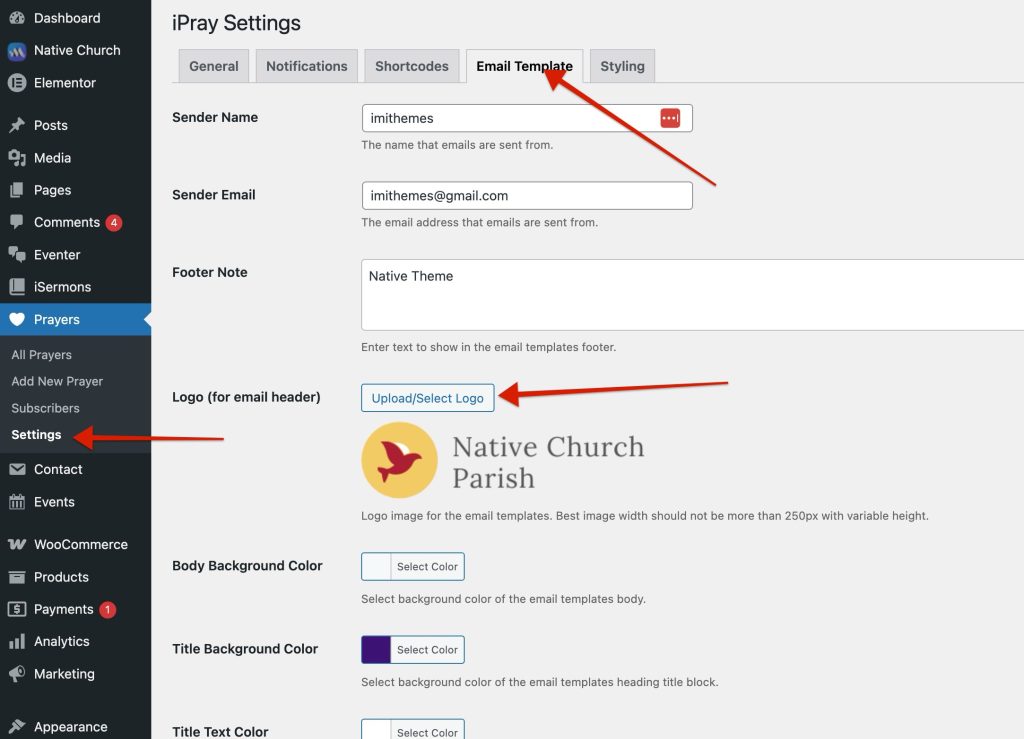
The top part of the Email Template settings allows you to define who emails appear to come from.
Sender Name
This name appears in the recipient’s inbox as the sender.
Example:
Community Prayer Team
Sender Email Address
This is the “From” email address used for all iPray emails.
Best practice:
- Use an email address from your own domain
- Avoid free email providers to reduce spam filtering
Example:
prayers@yourwebsite.com
Email Logo
You can upload a logo that appears at the top of all emails.
- Uses the WordPress media uploader
- Displays above the email title
- Optional — emails still work without a logo