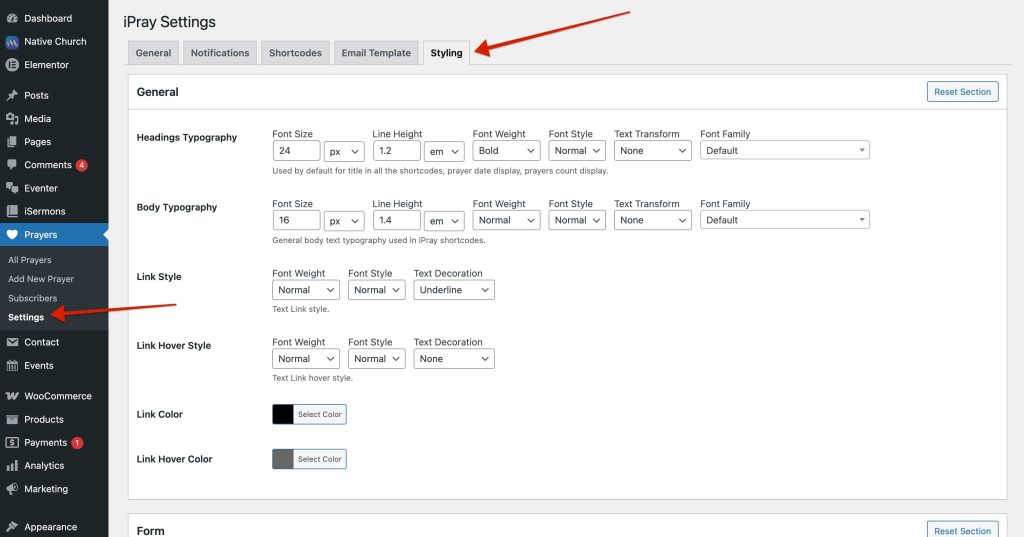
All styling options are available under:
Prayers → Settings → Styling
The Styling screen is divided into multiple styling sections, each controlling a specific part of the frontend experience.
Each section:
- Contains only the fields relevant to that area
- Can be customized independently
- Has its own Reset Section button
This approach allows fine-grained control without affecting the entire plugin layout.
How Styling Is Applied
- Styles are applied globally across the site
- Changes affect all pages where iPray shortcodes are used
- Updates take effect immediately after saving
You do not need to clear cache or reload pages multiple times.