The best part of using Woocommerce bookings and why we recommend is the payment options it provide. You can use any of the payment options available for Woocommerce.
Woocommerce comes with several free payment gateways along with more paid gateways as available for your country.
Checkout all the free and paid payment gateways available here
Managing Payment Options
To manage the payment options for your tickets booking, move to your WP Dashboard => Woocommerce => Settings
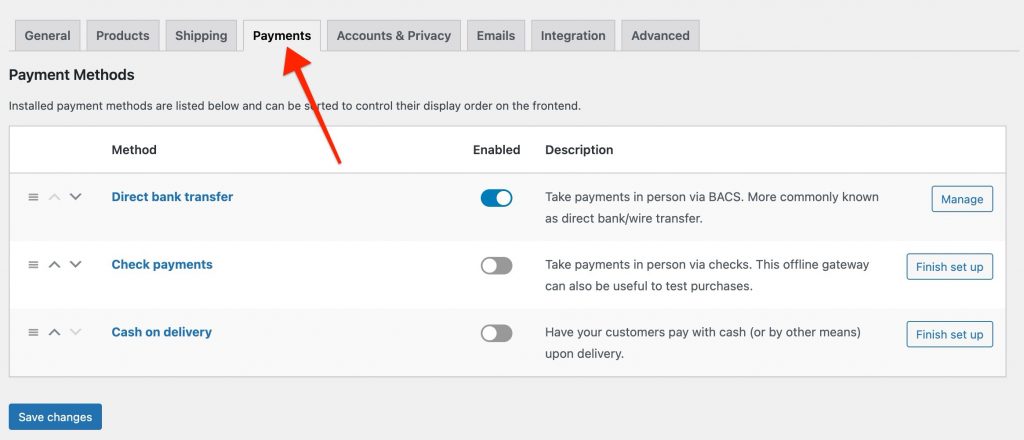
Click on switch under the ‘Enabled‘ column to activate the payment gateway. To change the gateway settings, use the ‘Manage‘ button for each of them.
Once the gateways are enabled, your website users will see them at the tickets booking form, checkout screen.
When you have Wooocommerce plugin active on your website, we recommend using Woocommerce bookings for Eventer. This is more important when you are trying to use the Eventer plugin’s default ‘Stripe‘ payment gateway. Enabling stripe for Eventer and keeping Woocommerce active can give errors on your website.